ChatGPT Images is OpenAI's conversational experience for creating and editing images with natural-language instructions. It can turn a brief into an illustration, banner, background, UI asset, product concept, storyboard, sprite sheet or placeholder. A user can start from text, attach a reference, request a localized edit and continue refining the result in conversation.
The name needs a boundary: ChatGPT Images is an end-user experience, while developers use OpenAI's Image API or the image_generation tool in the Responses API. OpenAI's current documentation says built-in image generation uses gpt-image-2. ChatGPT plan or workspace limits are distinct from API credentials, pricing and organization requirements. Do not present them as one interchangeable quota.

Capability and product boundaries
| Surface | Best use | Boundary |
|---|---|---|
| ChatGPT Images | Interactive creation and editing | Plan/workspace availability and controls vary |
| Image API | Direct application generation or editing | The application owns orchestration, storage and QA |
| Responses API | Conversational, multi-step image workflows | Mainline-model usage accompanies image cost |
| Reference editing | Transform, extend or visually guide | Input rights and fidelity require review |
| Generated typography | Short display copy and concepts | Critical copy should be proofed and typeset |
Choose the right workflow
| Need | Path | Reason |
|---|---|---|
| Explore with a human in the loop | ChatGPT Images | Fast conversational iteration |
| Create or edit one image from an app | Image API | Direct generations and edits endpoints |
| Keep image history across turns | Responses API | Images and previous responses remain in context |
| Produce a large catalog | Queued API service | Needs quotas, idempotency, cost and QA controls |
| Deliver exact brand artwork | Generate, then finish in design software | Typography and grids need determinism |
The Image API exposes generations and edits for GPT Image models. The Responses API exposes image generation as a built-in tool and can decide whether to generate or edit. An application can also set action to generate or edit; forcing an edit without an image in context returns an error.
Prompt anatomy
 purpose + audience
        │
 subject + action ── setting
        │
 composition / camera / hierarchy
        │
 style / material / palette / light
        │
 dimensions + exact text + exclusions
        ▼
     first image
        │
 content · layout · text · identity · rights
        ▼
 one targeted edit; preserve everything else
A useful prompt is not necessarily long. OpenAI recommends concrete visual language: explain where light comes from, what belongs in the foreground, who the asset serves and what must not appear. “Matte black aluminum, soft window light from the left and empty space in the upper right” is more testable than “make it premium.” Repeat requirements that must remain fixed during edits.
| Component | Weak | Higher-information instruction |
|---|---|---|
| Purpose | Make a nice image | Editorial header for a beginner security guide at 1200×630 |
| Composition | Show a laptop | Laptop left, subject right, empty top-right copy space |
| Lighting | Cinematic | Soft daylight from the left, low-contrast shadows |
| Text | Add a title | Add only “SPRING WORKSHOP,” uppercase, one line |
| Exclusions | No weird things | No logos, extra text, watermark or futuristic devices |
| Edit lock | Change the mug | Replace only the mug; preserve crop, person and lighting |
Reference-image editing
A reference can define content, identity, composition, layout or style. With multiple images, label their roles: “Image 1 supplies the product and camera angle; Image 2 supplies the muted palette and line treatment.” Prefer generic visual traits over asking to imitate a living artist or protected brand treatment.
| Edit | Instruction pattern | Risk to inspect |
|---|---|---|
| Object replacement | Change only X; lock background, crop and light | Unrequested drift |
| Style direction | Preserve content/layout; apply named generic traits | Identity or trademark imitation |
| Expansion | Extend with matching perspective and illumination | Repeated objects or broken geometry |
| Character continuity | Restate fixed face, clothing and proportions | Identity drift |
| Localized edit | Select an area and specify one change | Broken edges, shadows or reflections |
Change one high-impact variable per iteration. A request that changes camera, palette, pose and typography at once makes regressions difficult to diagnose. Save approved versions and compare them side by side rather than relying on memory.
Typography and dense layouts
Image generation can draft posters, infographics, diagrams and labeled layouts, but generated pixels are not a source-of-truth document. Keep text short, quote exact copy, specify capitalization, placement and whether any other text is allowed. OpenAI recommends reviewing every word and finishing dense or production-critical typography in a design tool.
| Content | Acceptance rule | Fallback |
|---|---|---|
| Headline | Exact spelling, case, line breaks and margins | Remove and typeset |
| Price/date/URL | 100% exact | Deterministic overlay |
| Legal copy | Approved text readable at delivery size | Layout software and legal review |
| Diagram labels | Every node, arrow and relation matches source | Rebuild as vectors |
| Localized text | Native glyph and line-break review | Locale-specific typesetting |
Evaluation beyond “looks good”
| Dimension | Question | Measure |
|---|---|---|
| Adherence | Are counts, relations and exclusions correct? | Requirement-level pass/fail |
| Composition | Does hierarchy survive intended crop? | Thumbnail and responsive test |
| Text | Is every character exact? | OCR plus human proof |
| Edit locality | Did only the requested area change? | Overlay and human review |
| Identity/product | Are defining details preserved? | Reference checklist |
| Accessibility | Can meaningful content be described? | Alt text and contrast review |
| Rights/safety | Are input rights and policy satisfied? | Documented approval gate |
Compare candidates blind where possible. Measure accepted images per prompt and cost per accepted asset, not only raw generation speed. Cheap images that require repeated regeneration can cost more than a stronger first pass.
As one current external calibration point, the Arena text-to-image leaderboard dated August 10, 2026 placed gpt-image-2 (medium) first in its blind-vote lab ranking. That is evidence of broad preference in one test environment, not proof that it wins every brand, typography or editing task. Run a small benchmark with your own prompts and acceptance rubric before choosing a production model.
Output and experience controls
For gpt-image-2, OpenAI documents flexible output sizes including common square, landscape and portrait presets up to a 3840-pixel edge under the published constraints. Resolutions above 2560×1440 are marked experimental. Outputs can be PNG, JPEG or WebP; JPEG is generally faster, while JPEG and WebP expose compression controls. Unlike earlier GPT Image workflows, gpt-image-2 does not currently support transparent backgrounds.
The Image API can request multiple candidates with n. Both the Image API and Responses API can stream zero to three partial previews with partial_images; a fast final generation may emit fewer previews, and each preview adds image-output tokens. Treat streaming as a user-experience choice with a measurable cost, not a free default.
| Control | Decision | Test |
|---|---|---|
| Size/aspect | Match final placement | Crop, weight and mobile rendering |
| Quality | Draft low; raise only for finalists | Acceptance rate versus latency/cost |
| Format/compression | Choose PNG, JPEG or WebP for the delivery path | Artifacts, file weight and browser support |
| Partial streaming | Show progress for slow jobs | Cancellation and final replacement |
| Candidate count | Generate more only if selection adds value | Total cost and review time |
Production architecture
 client
   │ auth · quota · dimensions · consent
   ▼
 job API ── idempotency ── queue
                            ▼
                 Image API / Responses API
                   pinned settings
                            │
                timeout · retry · cost ledger
                            ▼
 moderation · visual QA · rights gate
                            ▼
 private storage · expiring link · deletion
| Failure | Control |
|---|---|
| Duplicate paid generation | Application idempotency and durable job state |
| Runaway spend | User pixel, candidate, concurrency and daily limits |
| Long requests | Asynchronous queue, status and cancellation |
| Unsafe input/output | Policy checks, moderation and escalation |
| Sensitive references | Least privilege, short retention and deletion |
| Behavior change | Golden-prompt canary and recorded settings |
| Delivery corruption | Validate data, MIME, dimensions and checksum |
GPT Image API access may require API Organization Verification. Check the developer console before launch. Never place an API key in a web or mobile client; call OpenAI from a controlled server and rate-limit by authenticated tenant.
Cost and reliability planning
| Cost driver | Optimization | Guardrail |
|---|---|---|
| Quality and dimensions | Use draft settings during exploration | Allowed presets |
| Candidate count | Generate sequentially until accepted | Maximum candidates/job |
| Regeneration | Use a prompt template and targeted edits | Stop after review threshold |
| Responses orchestration | Keep context relevant and intentional | Track text/model and image usage separately |
| Storage | Lifecycle temporary outputs | Retention and deletion policy |
| Human review | Automate mechanical checks first | Require review for high-risk assets |
Do not publish a static price from a directory article as a purchasing guarantee. OpenAI pricing and plan limits can change. Calculate the target workload against the official pricing page, then add retry, discarded-output, storage and reviewer costs.
Privacy, rights and safety
| Risk | Control |
|---|---|
| Real-person likeness | Obtain permission where appropriate and document purpose |
| Copyrighted reference | Confirm license/ownership and request original treatment |
| Trademark confusion | Avoid false endorsement and review commercial context |
| Sensitive upload | Minimize data; define retention, access and deletion |
| Deceptive synthetic media | Use disclosure/provenance appropriate to context |
| Prohibited content | OpenAI policies plus organization rules |
| Dataset creation | Store provenance/consent and support removal |
OpenAI says credit is optional, but disclosure can still be useful or required by an employer, platform, customer or law. Model capability never grants rights to a reference, subject, logo or commercial use.
ChatGPT Images versus similar products
| Option | Choose it for | Important constraint |
|---|---|---|
| ChatGPT Images / GPT Image 2 | Conversational briefs, reference-based edits, text-aware assets and mixed research-to-visual work | Exact typography, recurring identity and rigid composition still need QA |
| Midjourney | Strong visual art direction, rapid four-option exploration, style references, retexture, pan and zoom in its web editor | Current Editor documentation says V8.2 images can enter the Editor, while editing currently runs on V6.1; workflow and integration differ from chat/API products |
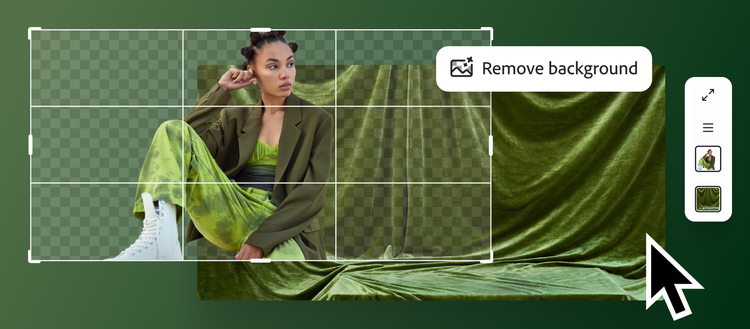
| Adobe Firefly | Creative Cloud handoff, generative fill-style edits and choosing between Adobe or partner models | Adobe's commercial-safety positioning applies to Adobe Firefly models; partner models have their own terms and suitability |
| Gemini / Nano Banana 2 | Fast iteration, world-knowledge and web-grounded prompts, text localization, subject consistency and outputs from 512px to 4K | Availability, controls and usage terms vary by Gemini surface and API |
| Photoshop, Figma or vector tools | Exact grids, editable text, legal copy, logos and deterministic final delivery | More manual production time; often best as the finishing step after generation |
There is no universal winner. Choose ChatGPT Images when a conversation should carry the brief and revisions; Midjourney when art-direction breadth is the main objective; Firefly when Adobe workflow and model provenance are central; Nano Banana 2 when fast, knowledge-aware iteration or multilingual text is decisive. For high-stakes layouts, combine any generator with deterministic design software.
Adoption plan
- Separate the ChatGPT user workflow from the API requirement.
- Define purpose, dimensions, audience, references and exclusions.
- Build prompts covering text, editing, diversity and abuse cases.
- Choose Image API for direct jobs or Responses API for multi-turn context.
- Calculate cost per accepted asset with a written rubric.
- Typeset prices, legal copy, URLs and final brand text.
- Add authentication, quotas, idempotency, queues and spend limits.
- Moderate inputs/outputs and document rights and consent.
- Store model, settings, prompt/reference lineage and review decision.
- Canary model/template changes and maintain deletion.
FAQ
Is ChatGPT Images the Image API?
No. ChatGPT Images is the conversational user experience. Image API and Responses API are developer surfaces with separate integration and usage economics.
Which model is used?
OpenAI's current documentation identifies gpt-image-2 for built-in image generation. Verify the official guide because models change.
Which API should developers choose?
Use Image API for a direct generation or edit. Use Responses API when images participate in conversation or iterative context.
Can it create exact text?
It can draft short display text, but every character needs review. Typeset transactional, legal and brand-critical copy.
Can one area be edited?
Yes. Select or identify the area, state one change and repeat what stays fixed. Inspect the entire image for drift.
Is likeness permission needed?
OpenAI advises care and permission where appropriate. Applicable rights depend on context and jurisdiction.
Official sources and verification
- OpenAI GPT Image 2 model documentation
- OpenAI image generation API guide
- OpenAI ChatGPT image generation guidance
- Midjourney Editor documentation
- Adobe Firefly text-based image editing
- Adobe Firefly AI photo editor and model-provenance information
- Google Nano Banana 2 announcement
- Arena text-to-image leaderboard
Last independently reviewed August 20, 2026. Models, availability, parameters, pricing and policies change; verify official documentation and the active account before production.