Overview
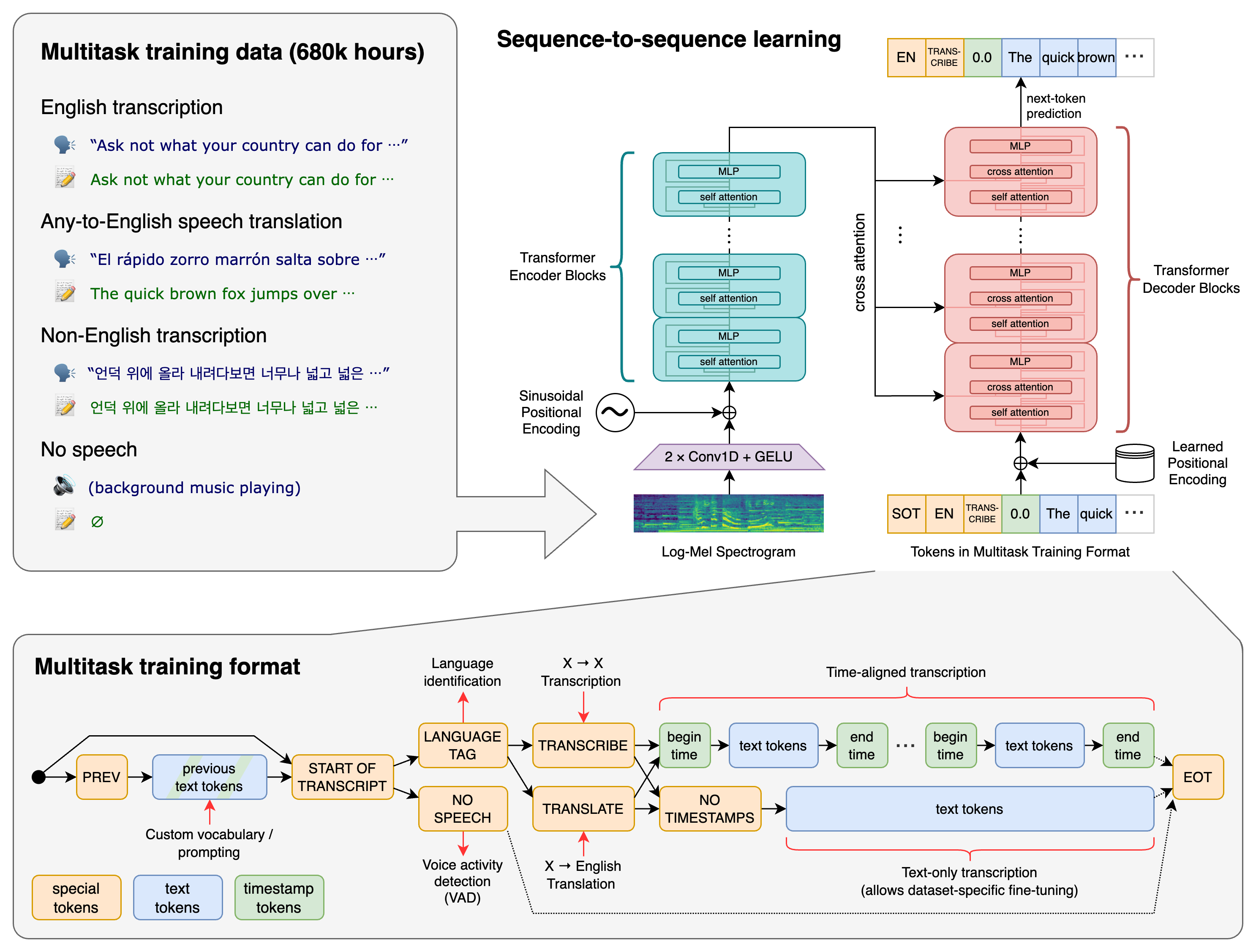
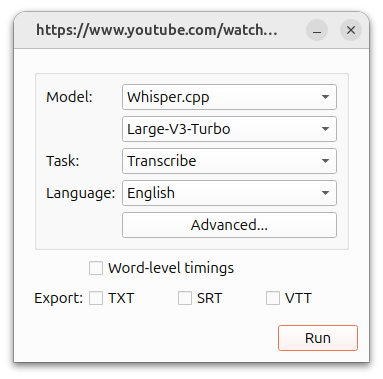
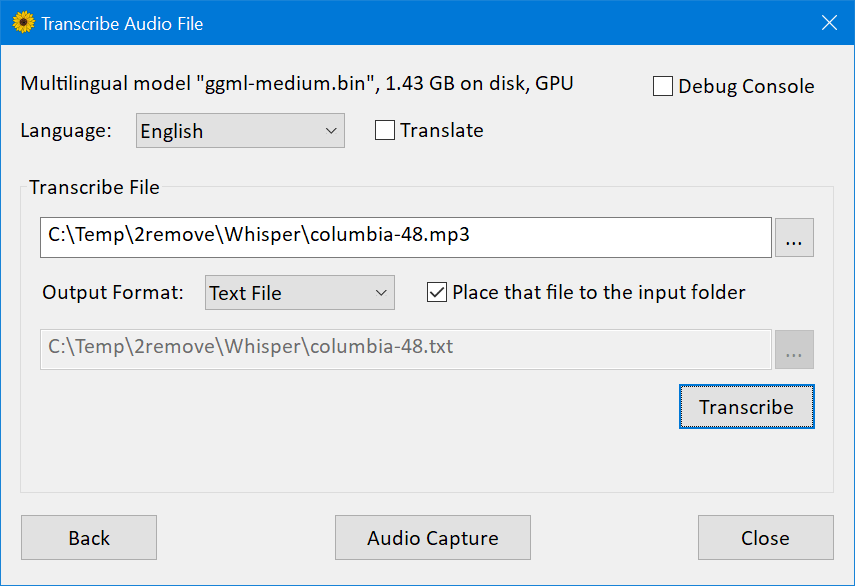
WhisperDesktop is the Windows desktop application from Const-me/Whisper, a high-performance GPGPU implementation inspired by whisper.cpp and OpenAI Whisper. The README describes a simple desktop flow: download a release ZIP, choose a Whisper model, transcribe audio/video files, or capture live microphone audio for transcription or translation.
Best fit
It fits Windows users who want local speech-to-text without a Python setup, especially when GPU acceleration through DirectCompute matters. Search intent usually includes WhisperDesktop Windows, OpenAI Whisper GUI, local transcription app, GPU Whisper, and offline speech recognition.
Key features
- Windows desktop GUI for loading Whisper models and transcribing audio/video files.
- Live capture screen for microphone transcription or translation.
- Vendor-agnostic GPGPU implementation based on DirectCompute rather than CUDA-only assumptions.
- Media Foundation audio handling for many audio/video formats and most Windows capture devices.
- Open-source project connected conceptually to OpenAI Whisper and whisper.cpp, but implemented as a Windows-focused app.
Real use cases
- Transcribe interviews, meeting recordings, lectures, podcasts, or video files locally on Windows.
- Use GPU acceleration on supported Windows hardware without setting up Python or CUDA pipelines.
- Capture microphone audio for quick local speech recognition tests.
- Convert audio/video content into text before summarizing it with another LLM.
- Compare Windows Whisper GUI options when privacy, offline use, or local files matter.
Recommended workflow
- Download the release ZIP from GitHub and unpack it locally.
- Choose a Whisper model; the README mentions ggml-medium.bin as a commonly tested model but users can choose based on speed and accuracy needs.
- Load an audio/video file or use microphone capture, then review the transcript manually.
- For long recordings, test a short sample first to estimate speed and accuracy.
- Keep sensitive recordings local and verify transcripts before publishing or using them as evidence.
Strengths and limitations
- Useful for local Windows transcription and GPU-accelerated experiments.
- Windows-focused; macOS/Linux users may prefer whisper.cpp, EasyWhisperUI, MacWhisper, or command-line Whisper setups.
- Accuracy depends on model size, language, audio quality, speaker overlap, accents, and background noise.
- The interface is practical but not a managed team transcription platform with speaker diarization, collaboration, or compliance controls.
Alternatives
- OpenAI Whisper for Python-based model usage.
- whisper.cpp for cross-platform command-line/local deployments.
- MacWhisper for macOS users.
- EasyWhisperUI for cross-platform GUI Whisper workflows.
- Otter, Descript, or Fireflies for cloud transcription, collaboration, and meeting workflows.
Media and examples
FAQ
What is WhisperDesktop?
WhisperDesktop is a Windows GUI application for running OpenAI Whisper-style speech recognition locally, with file transcription and microphone capture workflows.
Does WhisperDesktop work offline?
Yes, after downloading the application and model files, it is designed for local transcription. Users should still verify model, hardware, and format support on their machine.
Is WhisperDesktop better than cloud transcription?
It is better when local processing, privacy, or Windows GPU acceleration matter. Cloud tools may be better for collaboration, diarization, meeting notes, and team administration.
Sources reviewed
- WhisperDesktop GitHub repository
- WhisperDesktop README
- OpenAI Whisper repository
- whisper.cpp repository
WhisperDesktop, Whisper.cpp, and OpenAI Whisper are not the same package
WhisperDesktop belongs to the Const-me/Whisper repository, a Windows-oriented implementation with a native desktop interface and DirectCompute acceleration. It uses models from the Whisper family, but it is not OpenAI's original Python repository and it is not the ggml-org whisper.cpp runtime. Installation instructions, model formats, supported backends, command-line behavior, releases, and maintenance therefore need to be checked in the Const-me project itself.
| Option | Primary experience | Strong fit | Main trade-off |
|---|---|---|---|
| WhisperDesktop | Native Windows GUI and DirectCompute implementation | Windows users who want local file or microphone transcription without Python | Windows-specific project and smaller application ecosystem |
| whisper.cpp | Portable C/C++ runtime, CLI, server, streaming, and embedding examples | Cross-platform applications, devices, automation, and custom interfaces | More setup or integration work for a nontechnical desktop user |
| OpenAI Whisper | Reference PyTorch implementation | Research, Python workflows, and compatibility baseline | Heavier runtime and less desktop-product packaging |
| Managed transcription service | Upload/API plus hosted processing and collaboration features | Teams needing diarization, administration, elastic scale, or support | Recurring cost, data transfer, retention, and provider dependency |
Windows setup and compatibility checklist
- Download from the official GitHub release. Verify repository ownership, release notes, archive name, and hashes or signatures when provided.
- Extract to a user-writable folder. Avoid mixing files from several releases. Keep the downloaded ZIP until the installation is verified.
- Obtain a compatible model. Follow the project's current model instructions rather than assuming every Whisper or whisper.cpp file format is interchangeable.
- Test the graphics path. Update trusted GPU drivers, confirm DirectCompute compatibility, and compare CPU/GPU behavior with a short known recording.
- Test media decoding. WhisperDesktop uses Windows Media Foundation; codec support can differ across Windows editions, installed components, and source files.
- Keep a known-good package. Preserve the application version, model file, settings, and a sample input/output before upgrading.
How to select a Whisper model
A larger model can improve recognition but uses more storage, memory, and compute. A smaller model may be the better desktop choice when results arrive fast enough for interactive review. English-only variants can be efficient for English, while multilingual recognition and speech-to-English translation require an appropriate multilingual model. The README's example model is not a universal recommendation.
| Workload | Start by testing | Acceptance criteria | Operational check |
|---|---|---|---|
| Clear English interview | Small or medium English-capable model | Names, numbers, punctuation, and low correction time | Processing speed and memory on the user's PC |
| Multilingual recording | Multilingual small/medium/large options | Correct language, code-switching, entities, and no translated text unless requested | Model download size and sustained thermals |
| Noisy meeting | Larger model plus audio cleanup comparison | Speaker content preserved despite room noise and distance | Whether diarization is required outside WhisperDesktop |
| Live microphone | Model that stays comfortably faster than real time | Stable partial/final text and acceptable end-to-end delay | Capture device, sample format, buffering, and competing GPU load |
| Long video archive | Short representative samples before batch work | Accuracy across speakers and recording periods | Disk, failure recovery, queueing, and output organization |
Transcription and translation are different
Transcription writes speech in its spoken language. Whisper's translation task converts supported speech into English; it is not a general text translator and does not translate from arbitrary source speech into any chosen target language. Label the selected task in exported files so a translated English transcript is not mistaken for a verbatim original-language record.
For subtitles, verify segment timing, line length, reading speed, punctuation, and cuts in a video editor. Whisper timestamps are machine estimates. Names, quotations, legal or medical statements, amounts, and time-sensitive instructions need review against the source audio.
Privacy: local helps, but inspect the whole desktop workflow
After the program and model are downloaded, transcription can remain on the Windows machine. That removes the need to upload audio to a hosted speech API, but privacy still depends on the operating system, user account, backup folders, cloud-synced directories, antivirus, crash reporting, clipboard, temporary media, exported text, and any downstream summarizer.
- Store confidential recordings and transcripts in access-controlled, encrypted locations.
- Confirm recording consent and legal purpose before capturing microphones, meetings, calls, or other people.
- Delete temporary files and exports according to a retention policy; emptying the application window is not deletion.
- Keep source audio when a transcript may be challenged and record whether a human reviewed it.
- If text is later sent to an online LLM, review that separate provider's data terms and remove unnecessary personal data.
Desktop quality-control workflow
- Select five to ten representative recordings, including the worst microphone, noise, accent, and language conditions.
- Create human-verified reference passages with names, numbers, technical terms, and timestamps.
- Run candidate models with the same task and settings; record application version, model file, hardware, and elapsed time.
- Count substitutions, deletions, insertions, entity errors, timing errors, crashes, and manual correction minutes.
- Repeat a long-file test to expose memory, thermal, decoding, and stability problems hidden by short clips.
- Choose the smallest model that meets quality and time requirements with margin on the slowest supported PC.
| Metric | Definition | Why it matters |
|---|---|---|
| Word error rate | Substitutions + deletions + insertions divided by reference words | Standard recognition comparison, though it can hide critical entity mistakes |
| Entity accuracy | Correct names, numbers, dates, products, and terminology | Often determines whether a transcript is operationally useful |
| Real-time factor | Processing seconds divided by audio seconds | Shows whether a file processes faster than playback |
| Correction minutes | Human time from raw output to approved transcript | Measures actual productivity |
| Long-run stability | Completion, crash, memory, and thermal behavior on long media | Prevents selecting a model from a misleading short test |
When WhisperDesktop is not the best choice
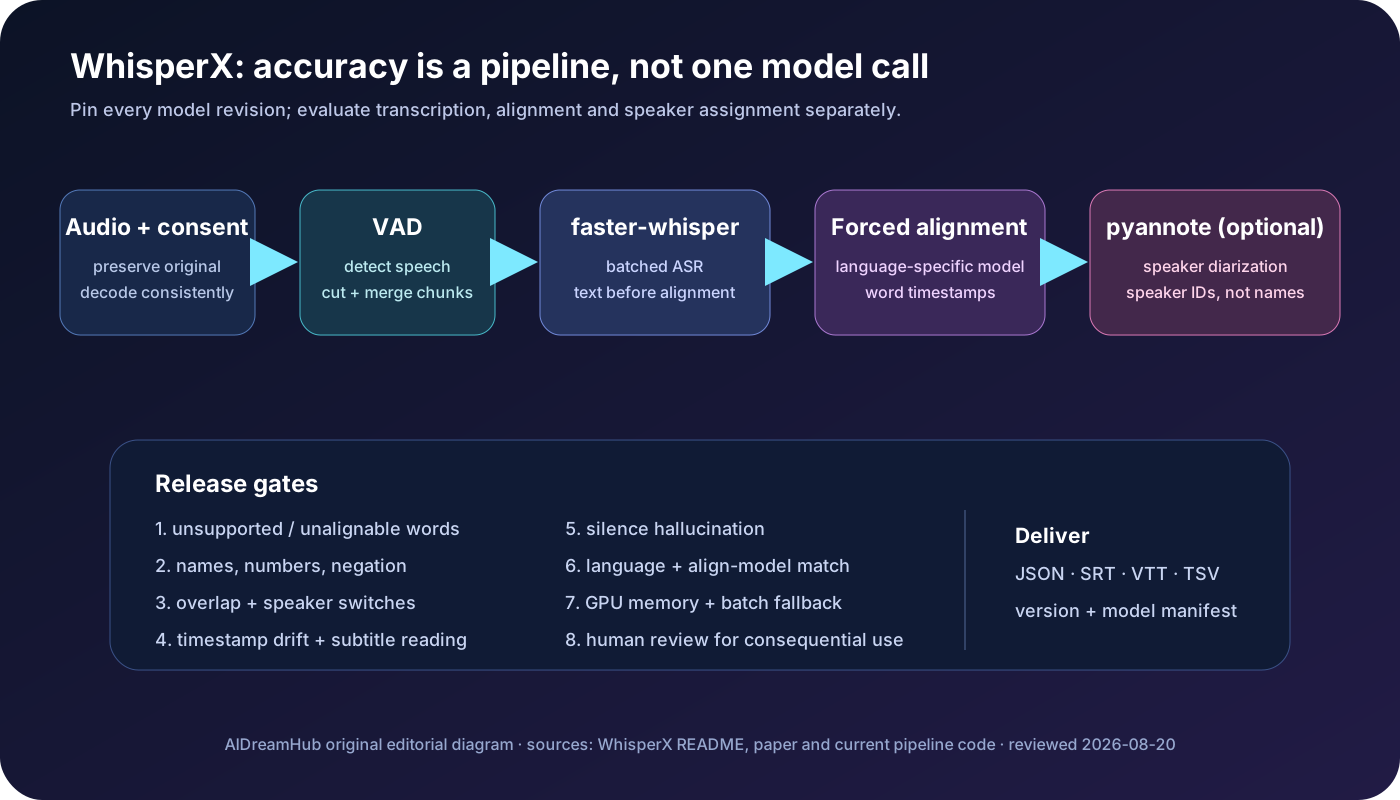
Choose another path when users need macOS or Linux, automated server queues, programmatic integration, shared workspaces, speaker labeling, meeting bots, centralized retention, administrator controls, or guaranteed support. A managed service may be more appropriate for a distributed team; whisper.cpp or faster-whisper may be more appropriate for a custom application or batch service.
Frequently asked questions
Is WhisperDesktop an official OpenAI application?
No. It is an independent Windows implementation in the Const-me/Whisper repository that runs models derived from the OpenAI Whisper family.
Does WhisperDesktop require CUDA?
The project is designed around DirectCompute rather than requiring NVIDIA CUDA, but actual GPU compatibility and performance depend on Windows, drivers, hardware, and the current release.
Can WhisperDesktop transcribe video files?
Yes, it uses Windows Media Foundation to read supported audio and video formats. Test the exact codec and Windows edition because media support is not identical on every machine.
Does it identify speakers?
It is not a full managed diarization platform. If reliable speaker labels are required, add and validate a dedicated diarization workflow.
Can it work offline?
Yes, once the compatible program and model files are installed. Check whether source or output folders are synchronized by another Windows or cloud service.
Should I trust the transcript without listening?
No. Review names, numbers, quotations, domain terminology, sensitive claims, and uncertain passages against the source recording.
Official and supporting sources
- Const-me/Whisper repository and WhisperDesktop releases
- WhisperDesktop official README and setup guidance
- WhisperDesktop release history
- OpenAI Whisper reference repository
- whisper.cpp repository for cross-platform comparison
- Microsoft Media Foundation documentation
Last reviewed July 25, 2026. Releases, model compatibility, Windows requirements, DirectCompute behavior, and media codecs can change; verify the official repository on the exact target PC.