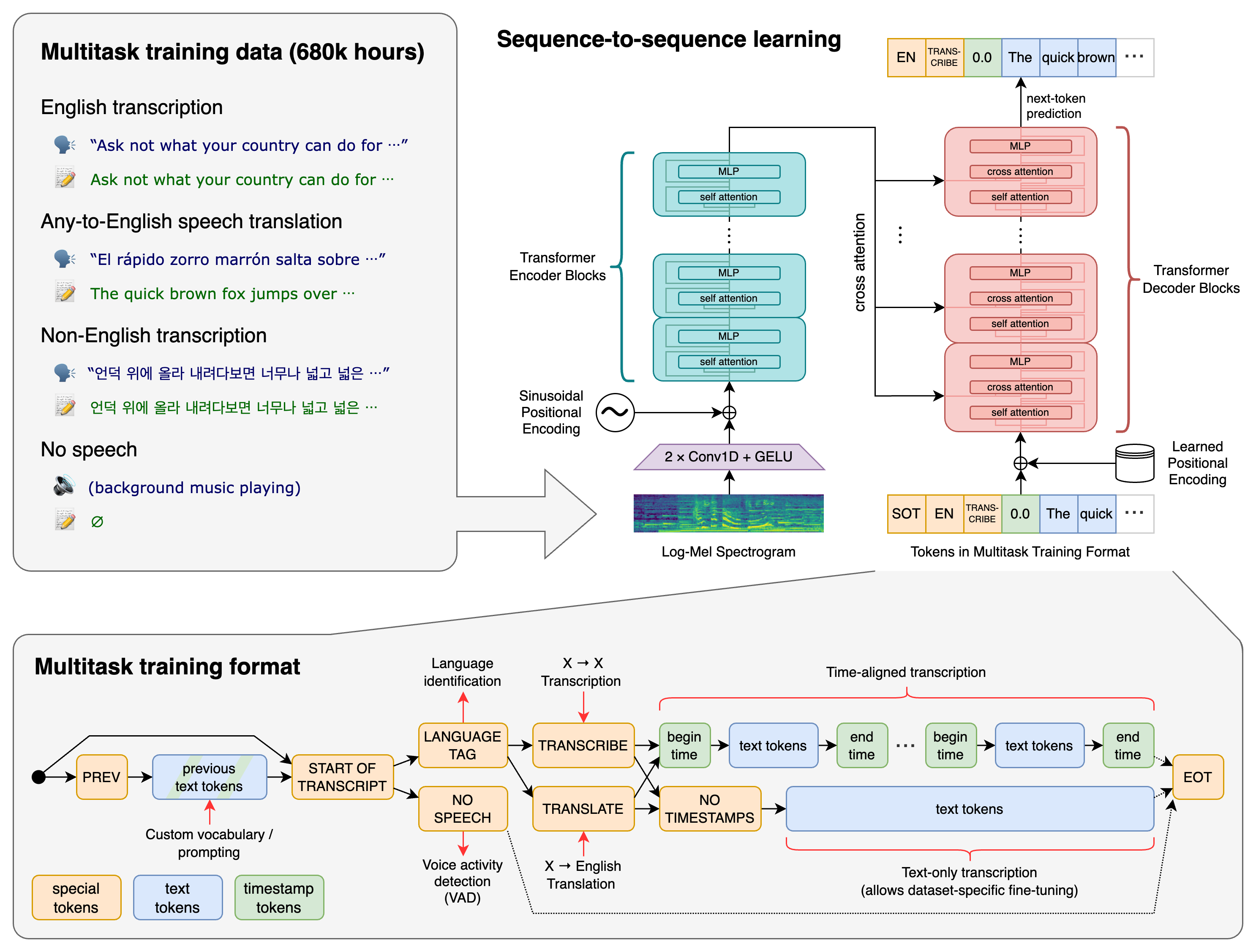
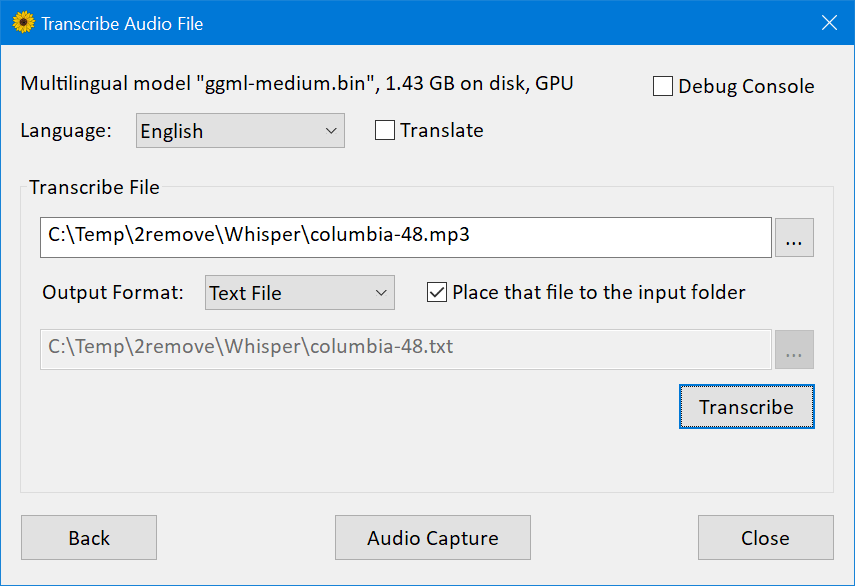
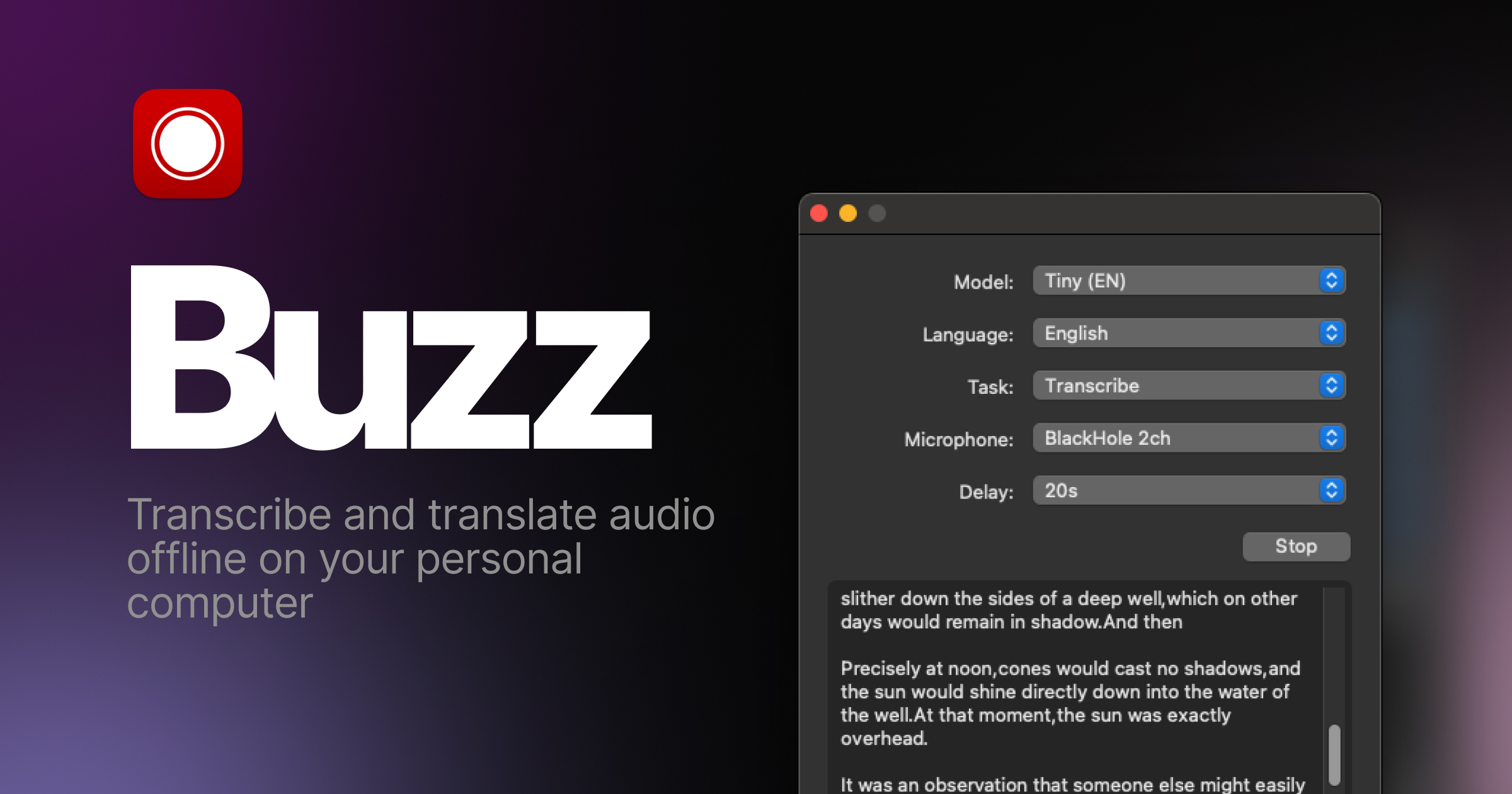
Buzz is a free, open-source desktop application for turning audio and video into transcripts, subtitles and live captions. It wraps several speech-recognition backends—Whisper, Whisper.cpp, Faster Whisper, compatible Hugging Face models and hosted OpenAI-compatible APIs—in a graphical workflow for macOS, Windows and Linux. The repository is MIT licensed.
Buzz is most valuable when a user wants local processing and editable exports without assembling Python, FFmpeg and model tooling. “Offline” is a configuration choice, not an absolute product property: local backends can keep media on the computer, while API transcription, AI translation, URL imports, model downloads and optional live-upload features create network traffic. Verify the chosen workflow rather than relying on the label.
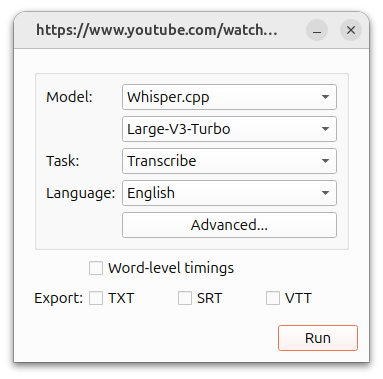
Choose the execution path before choosing a model
| Backend | Best fit | Strength | Primary tradeoff |
|---|---|---|---|
| Whisper | General local baseline | Reference ecosystem and broad language support | Can be resource-intensive |
| Whisper.cpp | CPU, Apple Silicon or Vulkan-capable devices | Portable native runtime and quantized models | Build/acceleration behavior varies by platform |
| Faster Whisper | NVIDIA GPU or optimized local batch work | Efficient CTranslate2 implementation and quantization | Drivers, VRAM and package compatibility matter |
| Hugging Face | Specialized languages or fine-tuned models | Large model catalog; Buzz documents MMS support | Quality and licensing differ by model |
| OpenAI-compatible API | Weak local hardware or centralized service | No local inference setup and potentially faster turnaround | Upload privacy, usage cost and provider dependency |
Benchmark two or three realistic choices on the same clips. Model size alone does not predict the best production result. A smaller model can win when clean audio, known language and rapid human review matter; a larger model can lose if it runs so slowly that users skip quality checks.
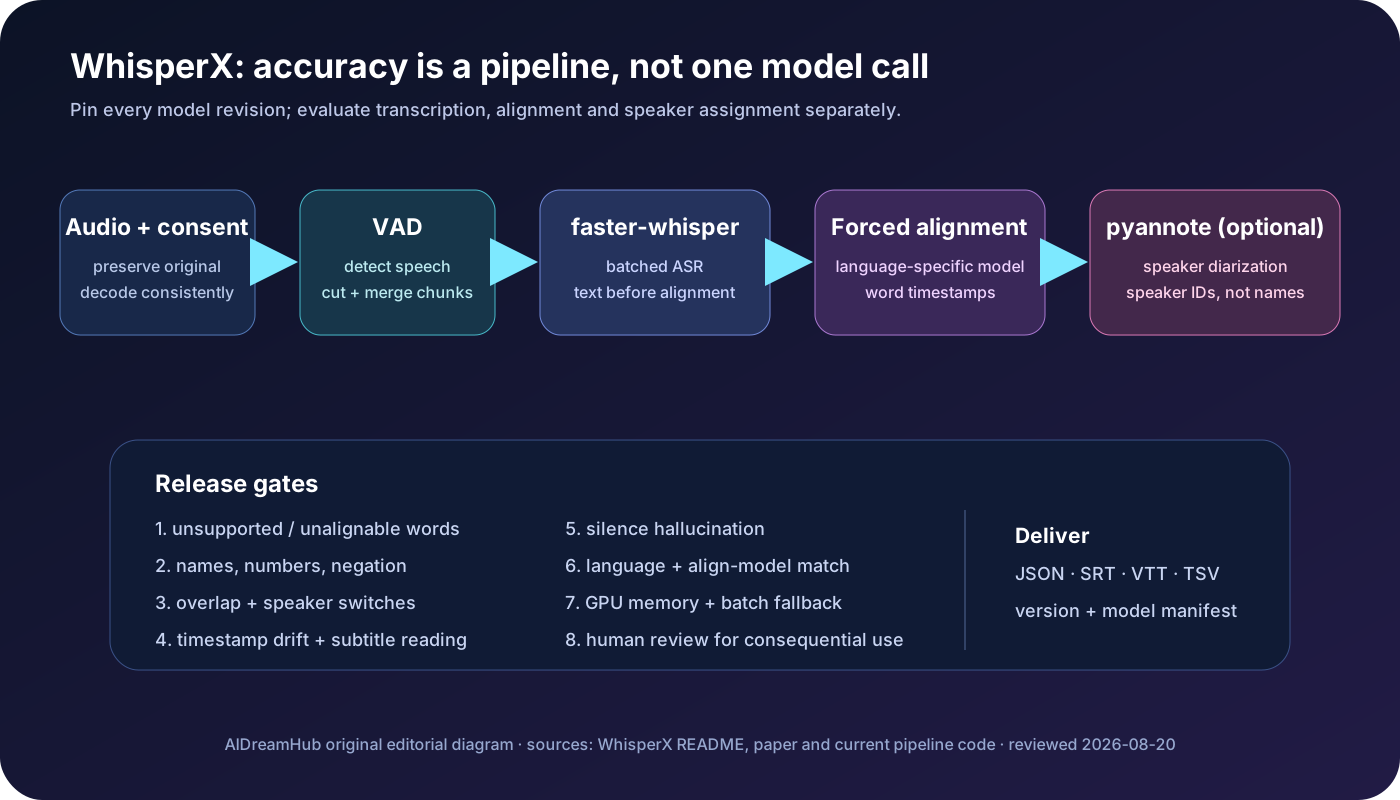
The transcription pipeline, drawn by evidence
 audio/video
    |
    +--> optional speech separation
    |
    v
 decode + resample --> model/backend --> timed segments
                                          |
                  .-----------------------+----------------------.
                  v                       v                      v
             text review            speaker labels       translation
                  |                       |                      |
                  '-----------------------+----------------------'
                                          v
                                  TXT / SRT / VTT / CSV

 “Export completed” is not the same as “captions publish-ready”
Each stage can introduce a different error. Speech separation may remove quiet words; language detection can select the wrong language from a short intro; the model can hallucinate during silence; diarization can swap speakers; translation can change meaning; and subtitle segmentation can be accurate in words but difficult to read.
Build a representative accuracy set
Do not evaluate with one clean monologue. Create 20–40 short, consented clips covering the conditions that matter: different speakers, accents, microphones, room echo, music, overlap, domain terms, numbers and code-switching. Produce a human reference transcript and keep it separate from model output.
| Test slice | What to measure | Common failure |
|---|---|---|
| Clean single speaker | Word error and punctuation baseline | Names, acronyms and rare terms |
| Noisy interview | Deletion rate and false text in silence | Music interpreted as speech |
| Overlapping speakers | Speaker attribution and lost content | Merged or swapped turns |
| Numbers/dates | Semantic accuracy, not spelling similarity | Wrong amount, unit or appointment time |
| Multilingual/code-switch | Language selection and untranslated terms | Phonetic substitution |
| Long recording | Drift, memory use and throughput | Timestamp drift or late-run slowdown |
Word error rate is useful but insufficient. Track critical-term accuracy, timestamp error, speaker attribution, hallucinations per hour and human correction minutes. For accessibility captions, readability and synchronization can matter more than a small WER improvement.
Language selection and prompting
The live-recording documentation recommends selecting the language when known because detection often relies on the beginning of the audio. A music intro, greeting in another language or short clip can mislead it. Use the initial prompt for names, technical vocabulary and expected spelling, not for adding content the recording does not contain.
Keep a project glossary and test whether each backend uses prompts consistently. Check numbers against the audio. For legal, medical, academic or journalistic work, retain the recording and mark uncertain passages with timestamps rather than silently guessing.
Translation is a separate quality problem
Whisper’s standard translation task converts supported speech to English; Buzz’s documentation notes that Large-v3-turbo is not compatible with that standard translation path. Buzz also supports translation through an OpenAI-compatible language-model endpoint, including a locally hosted endpoint. That second path sends recognized text—not necessarily original audio—to the configured service, but it still needs a privacy and quality review.
| Workflow | Use when | Verification |
|---|---|---|
| Whisper speech-to-English | Fast English rendering from supported source speech | Compare omitted names, numbers and cultural terms |
| Transcript then LLM translation | Target language is not English or style control matters | Check source transcript first, then bilingual review |
| Local OpenAI-compatible translator | Media/text must remain on controlled hardware | Confirm endpoint, logs, model license and network isolation |
| Professional translator | Publication, legal or high-stakes meaning | Human signs off against audio and context |
Do not let a language model add notes, summaries or invented context to subtitle lines. The official docs recommend explicit translation instructions; also validate line count, timing association, named entities and consistency across repeated terms.
Speaker identification and speech separation
Buzz can identify speakers on completed transcriptions and can extract/separate speech before recognition. These features are aids, not identity verification. Label outputs “Speaker 1” until a human maps the voice to a person. Never infer identity, role, gender or intent solely from diarization.
Compare separation on and off. It can improve recordings with background music, yet aggressive processing may damage breaths, quiet speech or overlap. Store the untouched source, the processed track and settings. If evidence or archival integrity matters, hash the original and perform edits on copies.
Subtitle QA: words are only half the job
| Check | Practical rule | Reason |
|---|---|---|
| Timing | Caption appears with speech and leaves enough reading time | Late captions reduce comprehension |
| Line breaks | Break at natural phrases, not between tightly linked words | Improves scanning |
| Reading speed | Use the platform/audience accessibility standard | Dense captions cannot be read |
| Sound cues | Add meaningful non-speech audio where required | Accessibility includes more than dialogue |
| Speaker changes | Make a change unambiguous without clutter | Important in interviews and panels |
| Names/numbers | Verify manually against authoritative context | Small transcription errors can change meaning |
Buzz exports TXT, SRT and VTT, and the project also describes CSV exports in current product materials. Test the exact format against the destination editor or platform. Preserve UTF-8 characters and inspect the first, middle and final sections for drift.
Live transcription has a stricter latency budget
The official docs warn that local microphone transcription is resource-intensive and may not be real time. Measure capture-to-display latency, missed audio, correction stability and thermal throttling for the full event duration. Use a wired microphone and disable sleep. Have a human captioner or fallback display for important accessibility events.
Buzz offers a presentation window and optional live transcript export, which can feed software such as OBS. Preferences also document an upload URL that can POST transcript or translation text to a server. Enabling that turns a local workflow into a network disclosure; authenticate the receiver, encrypt transport and avoid exposing the endpoint publicly.
Privacy and local-processing verification
- Download models before entering an isolated environment, then monitor outbound connections during a test.
- Select a local backend and leave API keys empty when cloud processing is prohibited.
- Disable live upload and external translation unless explicitly approved.
- Check temporary files, export folders, recent-file lists, crash logs and OS backups.
- Encrypt the device and recording storage; delete working copies according to retention policy.
- Obtain recording and transcription consent appropriate to the jurisdiction and setting.
Open-source code improves inspectability but does not prove a binary is safe. Download through official release channels, verify signatures or checksums where provided, keep dependencies current and scan installation artifacts under organizational policy.
Hardware and throughput decisions
Measure real-time factor: processing seconds divided by audio seconds. A value of 0.5 means one hour of audio takes roughly 30 minutes; 2.0 means about two hours. Record model, backend, quantization, device, acceleration, file format, batch size and peak memory. Laptop battery, heat and simultaneous editing can materially change results.
Quantization reduces memory and can improve speed, sometimes with an accuracy tradeoff. Vulkan support can accelerate Whisper.cpp on a wider range of GPUs, while CUDA and Apple Silicon paths have their own compatibility conditions. A clean benchmark on the actual machine is more trustworthy than generic hardware claims.
CLI and batch automation
The Buzz CLI can add files or URLs, choose transcribe or translate, select backend/model/language, supply an initial prompt and export SRT, VTT or TXT. It can hide the GUI, which makes it useful for a watched folder or media pipeline. Automation still needs collision-safe filenames, exit-code checks, logs and quarantine for failures.
buzz add --task transcribe --language en --model-type whispercpp --model-size small --prompt "Names: Ada Lovelace, Babbage" --srt --vtt interview.mp4Confirm CLI options against the installed version. Pin the release in production and run a known fixture after upgrades; subtitle segmentation or backend changes can alter downstream diffs even when the command succeeds.
Alternatives
| Option | Best fit | Tradeoff versus Buzz |
|---|---|---|
| Buzz | Cross-platform local GUI plus multiple Whisper backends | Desktop resources and manual QA still required |
| Whisper.cpp CLI | Lean local or embedded automation | Less integrated editing workflow |
| Faster Whisper scripts | Custom GPU batch pipelines | More engineering and dependency management |
| OpenAI speech-to-text API | Managed scale and minimal local compute | Upload, pricing and provider terms |
| Descript / Premiere text tools | Transcription inside an editing suite | Commercial ecosystem and less local control |
| Human transcription/captioning | High-stakes accessibility or publication | Higher direct cost but accountable contextual review |
Frequently asked questions
Is Buzz free?
The official repository is MIT licensed and the desktop software can be used without a subscription. Hosted APIs, hardware and third-party models may create separate costs.
Does Buzz work fully offline?
Yes for configured local-model workflows after required assets are available. API transcription, external translation, URL import and live upload use the network.
Which operating systems are supported?
The project documents macOS, Windows and Linux, with platform-specific distribution and acceleration options.
Can it create subtitles?
Yes. It exports timed formats including SRT and VTT. Human timing, readability and terminology review remain necessary.
Can it identify speakers?
It supports speaker identification on transcribed media, but labels require human verification and are not biometric identity proof.
Can it translate to languages other than English?
Buzz documents additional translation through configurable OpenAI-compatible AI services, including local endpoints. Validate privacy and translation quality separately.
Why is transcription slow?
Model size, backend, quantization, acceleration, audio length and hardware all matter. Benchmark a smaller model and an optimized backend before buying hardware.
Primary sources
- Official Buzz repository and license
- Official feature documentation
- Official installation guide
- File import and model settings
- Live recording guidance
- Translation behavior
- Viewer and editing features
- CLI reference
- Official release history
Last reviewed July 25, 2026. Test the exact Buzz release and backend on representative audio; model support, acceleration and distribution packages change over time.