AnyGen
AnyGen is an AI workspace for creating and refining professional deliverables such as reports, documents, presentations, analysis, plans, and client-ready content.
AnyGenAI workspaceAI assistant
9940

Trace is a Mac-first meeting transcript app that keeps recordings local, lets you flag moments during a call, and avoids the usual cloud bot workflow.
337
Views
0
Likes
Jun 2026
Added
traceapp.info
Website
A quick visual look at Trace before you visit the official site.
Editorial Review
Trace is for people who want searchable meeting memory without inviting another bot into every call. The pitch is simple and concrete: transcripts stay on the Mac, capture stays lightweight, and you can mark important moments while the conversation is still happening.
It is getting attention because the privacy tradeoff is instantly understandable. On Hacker News it reached 87 points and 33 comments around June 13 to June 15, 2026, and the official product story stands out against cloud-heavy meeting note tools.
The positive reaction is mostly about what Trace does not do: it does not add another bot to the room and does not immediately push data into a hosted dashboard. The open question is whether that privacy-first design can still match the polish, accuracy, and team workflows of larger incumbents.
Trace looks strongest for Mac users who care about privacy more than central team admin features. Buyers should validate transcription quality, export paths, and how much value they lose by skipping cloud sync and shared workspace features.
Common alternatives include Granola, Otter, Fireflies, Supernormal, and other cloud-based meeting note tools that trade more convenience for less local control.
Reviewed 25 July 2026. Product capabilities, pricing, model versions, and policies can change. The link below is the website stored for this listing; verify that it is the canonical source and check current documentation and terms before making a purchase or production decision.
Visit the official website to get started
Have an AI tool to share?
Get your product in front of people actively exploring AI tools.
Submit Your ToolAnyGen is an AI workspace for creating and refining professional deliverables such as reports, documents, presentations, analysis, plans, and client-ready content.
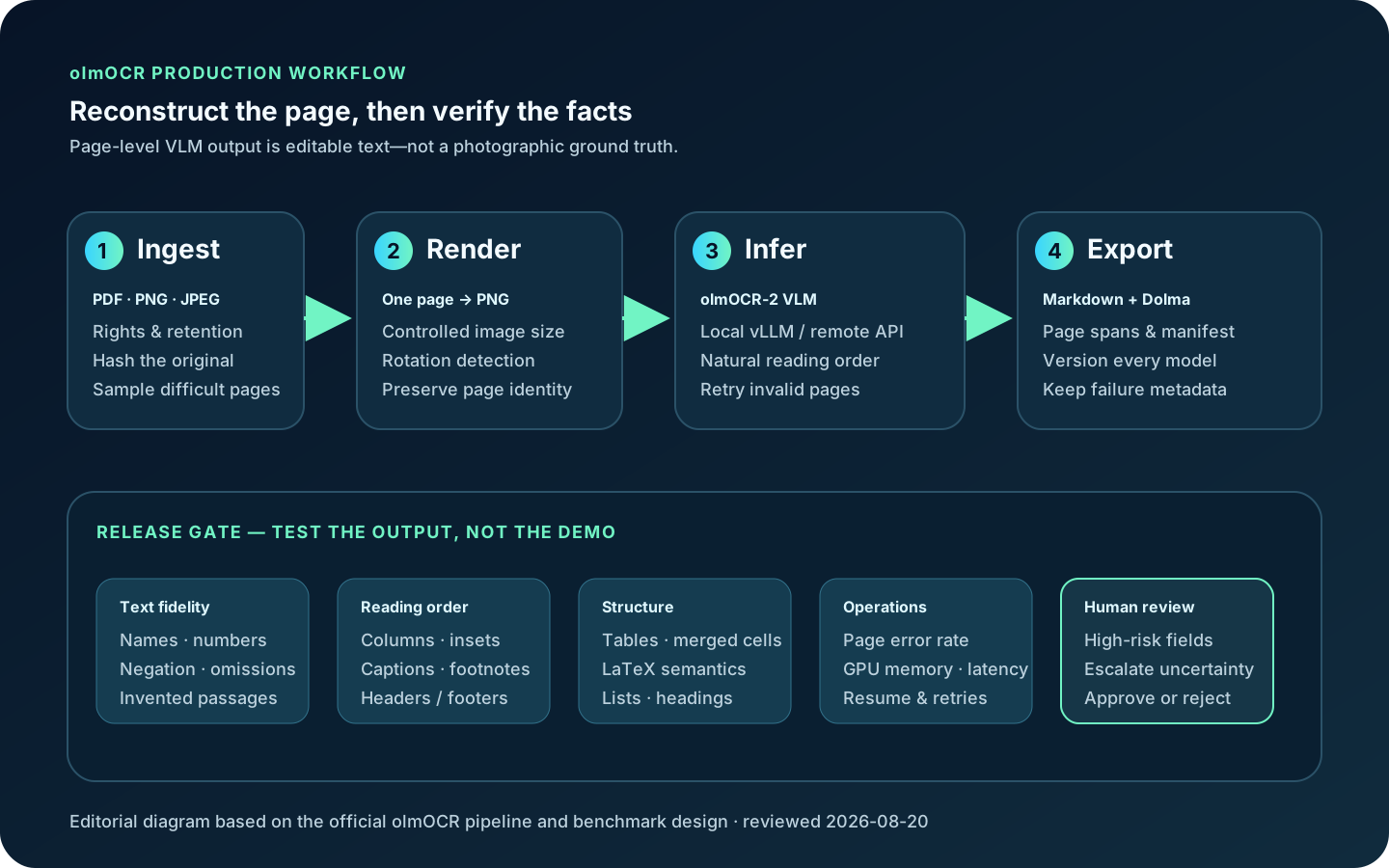
olmOCR is AI2’s open-source GPU document-reconstruction toolkit for turning PDF, PNG and JPEG pages into naturally ordered Markdown or text with tables and equations.
Gamma is an AI-assisted workspace for creating editable presentations, documents, webpages, social posts and graphics. This independent guide covers creation modes, current plan boundaries, imports and exports, brand and accessibility QA, fact-checking, site publishing, privacy and alternatives.
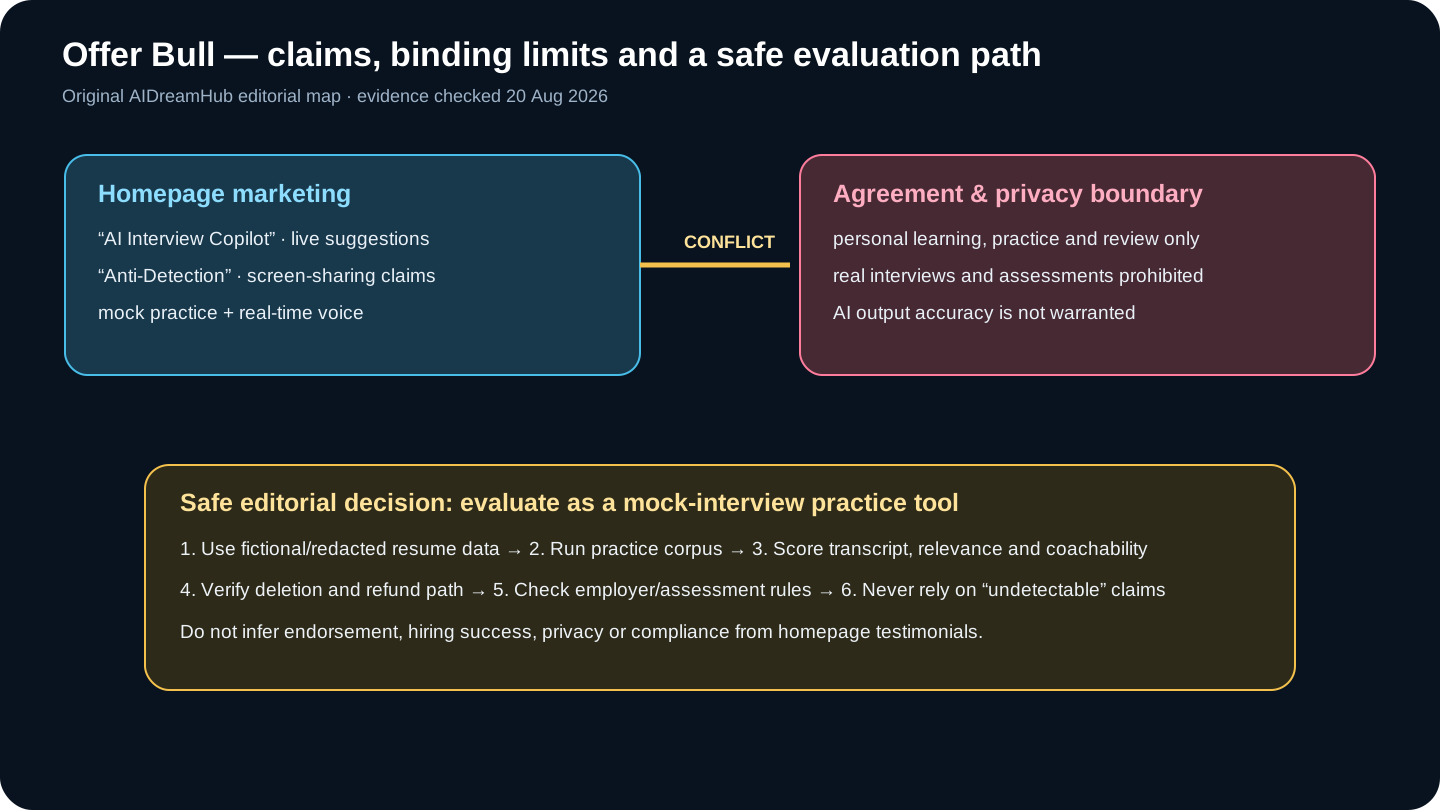
Offer Bull is an AI mock-interview and answer-coaching app. This independent review exposes a material marketing-versus-terms conflict, then tests privacy, pricing, accuracy and safer alternatives.