OptimizerAI is a focused AI sound-effect generator, not a song generator or text-to-speech studio. Its public product page turns written descriptions into effects, supports stereo 44.1 kHz audio up to 60 seconds, lets users upload audio to make variations, offers a “Magic prompt” that expands a situation into a sound brief, and provides style selection. Examples target games, animation, video, short-form content and advertising.
The useful question is not whether it can produce an interesting sound. It is whether a team can convert unpredictable candidates into a consistent, legally documented SFX library. A footstep set needs controlled transients and variations; a UI click needs repeat-safe loudness; an ambience needs a clean loop; a cinematic impact needs headroom and a tail that fits the cut. OptimizerAI accelerates exploration, but it does not remove editing, mix-context review or rights verification.
What is currently verifiable
| Capability | Official statement | Production boundary |
|---|---|---|
| Text to SFX | Describe a sound in text and generate it | Prompt match varies; specific source, action, distance and tail still need auditioning |
| Stereo / 44.1 kHz / 60 s | These limits are stated on the live product page | Sample rate does not prove low noise, clean transients, lossless download or usable stereo imaging |
| Audio variation | Upload an audio file to create modified versions | The uploader must hold transformation rights; variation is not clearance |
| Magic prompt | A situation can be expanded without technical sound language | Convenient exploration can reduce repeatability; save the expanded prompt if exposed |
| Style selection | Choose an audio style in the interface | Style labels do not ensure consistent loudness, perspective or asset-family identity |
| API | A public API pricing/SLA proposal describes text-to-sfx v2, API keys and call tiers | It is labeled a proposal, not a complete endpoint reference or self-service contract |
The product is still reachable in August 2026, its separate careers site actively describes foundation-model and audio-editing research, and its API proposal remains public. However, the consumer homepage says its pricing/FAQ was updated November 27, 2024, the public blog’s visible posts stop in 2024, and the public docs contain only an API pricing proposal. That combination suggests an operating product with thin public documentation—not permission to infer unlisted formats, plan benefits or recent model changes.
Pricing and rights: what can and cannot be confirmed
| Surface | Public information checked 2026-08-20 | Buyer action |
|---|---|---|
| Consumer web plans | Homepage links to pricing/FAQ, but a complete current public table was not retrievable | Capture signed-in checkout, credits, duration, formats, concurrency, renewal and refund terms |
| Slow API proposal | USD 160 monthly equivalent, annual prepayment, 2,000 calls included; then $0.080/$0.040 per call by volume | Confirm whether proposal is offered to the buyer and which model/version is covered |
| Medium API proposal | USD 420 monthly equivalent; $0.084 then $0.042 per call | Confirm dedicated capacity, latency remedy and rollout terms |
| Fast API proposal | USD 790 monthly equivalent; $0.158 then $0.079 per call | Confirm naming inconsistency: the SLA table says Ultra-Fast while pricing says Fast |
| Rights/privacy | Official footer Terms link returned 404; Privacy opens a JavaScript Termly viewer not readable in this review | Obtain the executed Terms, DPA, retention, training-use and output-license language before release |
Do not repeat old directory prices. Third-party pages show incompatible Basic/Pro/Unlimited figures from different periods; none is stronger than a live checkout. The API page itself says “Proposal,” requires a one-year prepaid contract, says unused monthly calls do not roll over, and lists future endpoints as included. Treat those as negotiation inputs, not a consumer price guarantee.
The broken Terms link is a release blocker for rights-sensitive work. The official homepage makes no clear current statement about commercial rights, ownership, exclusivity, attribution, training use or uploaded-audio confidentiality. Before shipping a paid game, film or ad, request the operative agreement and keep it with the creation receipt. Never assume “AI-generated,” “unlimited,” or an available download means royalty-free or exclusive.
From prompt to production SFX
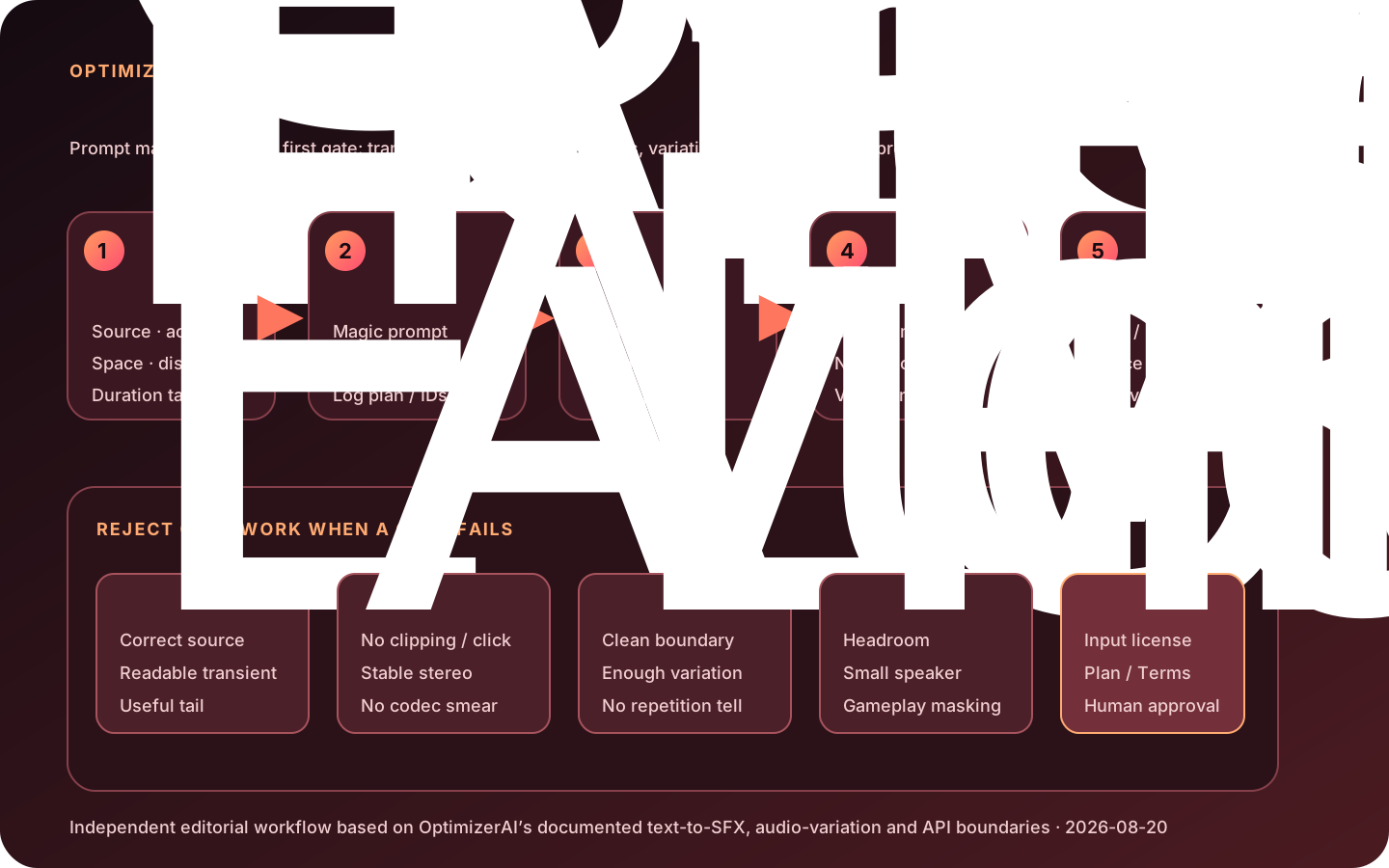
- Write an event brief.Define source, action, material, force, perspective, space, duration, tail and whether the asset is diegetic, UI or ambience.
- Describe audible facts.Use “single heavy leather boot on wet concrete, close mic, dry, 0.6 seconds” instead of mood-only language.
- Generate a controlled batch.Create multiple candidates while changing one variable. Record prompt, style, model/plan if shown, date and generation ID.
- Audition blind.Reject wrong source identity, delayed attack, excessive reverb, speech-like artifacts, music leakage and unstable stereo.
- Edit in a DAW.Trim silence, add short fades, remove clicks, correct DC offset, EQ unwanted rumble and preserve headroom.
- Build variation sets.For footsteps, impacts and UI feedback, create enough distinct approved assets to avoid repetition. Do not disguise one sample only with pitch randomization.
- Make loops deliberately.Crossfade ambience boundaries and test repeated playback for several minutes; a long file is not automatically loopable.
- Normalize by context.Measure peak and loudness, then balance against dialogue, music and other SFX rather than maximizing every file.
- Test delivery.Check headphones, phone speaker, mono, target codec, Unity/Unreal import and the actual playback system.
- Clear rights.Document uploaded-source ownership, current plan/Terms, generated-output permission and any recognizable voice, trademark or protected recording risk.
- Archive masters.Keep lossless edited masters, runtime derivatives, prompts, source licenses, receipts and approvals.
Acceptance rubric
| Dimension | Test | Reject or rework when |
|---|---|---|
| Event identity | Can listeners identify source/action without seeing the prompt? | The effect is generic, changes event midway or contains unintended voices/music |
| Transient and tail | Zoom into attack, decay, silence and fade | Click, pre-echo, clipped attack, noisy tail or unusable reverb remains |
| Spectrum/stereo | Headphones, mono fold-down, phase meter and small speaker | Phase cancellation, wandering image, harsh resonance or missing core band |
| Set consistency | Randomly trigger all variants at gameplay speed | Loudness, perspective or material changes reveal a mismatched set |
| Loop/runtime | Repeat loop, codec/import and memory/voice limits | Boundary clicks, rhythmic tell, delayed decode or runtime budget failure |
| Rights/evidence | Source license, agreement, plan, prompt and approval | Any upload or release permission cannot be demonstrated |
Evaluate at least 30 briefs across one-shots, footsteps, UI, creatures, machines, ambience and layered cinematic events. Track accepted candidates, retries, edit minutes, loop success, severe artifacts and cost per approved asset. OptimizerAI publishes examples and a careers-page superiority claim, but no reproducible public benchmark protocol supporting universal quality claims; do not turn hiring copy into a score.
How OptimizerAI compares
| Option | Distinctive fit | Trade-off |
|---|---|---|
| OptimizerAI | Focused text-to-SFX, up to 60 s, audio variation, Magic prompt and style workflow | Longer stated duration; consumer pricing, operative Terms and technical docs are not transparent publicly |
| ElevenLabs Sound Effects | Documented 0.1–30 s control, looping, prompt influence, MP3/WAV and full API | Clearer metering and docs; outputs and sublicensing terms still require review |
| Stable Audio | SFX plus longer music/audio, editing, open weights/self-hosting and licensed-training claims | Broader system may be less direct for tiny game one-shots; license depends on deployment/revenue |
| Adobe Firefly Sound Effects | Video/audio upload, layered SFX and optional voice guidance inside a creator workflow | Useful audiovisual placement; official guide says it does not create music or speech |
| Recorded/library SFX | Deterministic provenance, exact performance and known metadata | Search, recording and licensing can take longer, but hero assets often need this certainty |
Independent judgment:OptimizerAI is attractive for teams that need many custom effects and value a 60-second ceiling plus variation-from-audio. Its main 2026 weakness is not the feature list; it is procurement visibility. A serious production should pilot audio quality while legal/procurement obtains the active consumer or enterprise agreement. If the vendor cannot document upload handling and output rights, use it for disposable ideation rather than final assets.
FAQ
Is OptimizerAI a music generator?
Its public positioning is sound effects: one-shots, ambience, game, animation and video audio. It may produce tonal material, but the page should not be treated as a full song-production promise.
What audio quality does it claim?
The current homepage states stereo, 44.1 kHz and up to 60 seconds. Verify the actual download codec/bit depth in the paid plan; sample rate alone does not establish lossless or production-ready quality.
Can generated sounds be used commercially?
Do not assume so from the homepage. The official Terms link returned 404 during this review, and no clear current license was publicly readable. Obtain the operative agreement and plan receipt before distribution.
Can I upload a sound and generate variations?
The homepage says yes. Upload only audio you own or are licensed to transform, and confirm retention, training use, deletion and confidentiality before sending unreleased or client material.
Does OptimizerAI have an API?
A public API Pricing & SLA Proposal describes text-to-sfx v2, project API keys, call tiers and annual contracts. Public endpoint documentation is thin, so request schema, formats, errors, rate limits and sandbox access.
How should game teams use it?
Generate multiple candidates, edit transients/tails, build variation sets, loudness-match them, then test Unity/Unreal imports and repeated playback. The downloaded generation should not be committed straight to production.
What is the best alternative?
ElevenLabs offers the clearest managed SFX API controls; Stable Audio suits longer/open deployment; Adobe Firefly suits video-layer workflows; recorded libraries remain strongest when provenance and exact performance matter.
Sources reviewed
- OptimizerAI official product page
- OptimizerAI official blog
- OptimizerAI current careers page and research direction
- OptimizerAI public documentation
- Official API Pricing & SLA Proposal
- Terms link currently published in the official footer
- Privacy link currently published in the official footer
- ElevenLabs official Sound Effects documentation
- ElevenLabs official SFX metering
- ElevenLabs Sound Effects Terms
- Stable Audio official product page
- Stability AI license
- Adobe Firefly Generate Sound Effects guide
Independent review: 2026-08-20. Consumer pricing and the operative output license could not be verified from a complete current public document. The official Terms link was broken; this limitation is material and should be resolved before commercial release.