
Poe
AI product built by Quora. Can use ChatGPT, Sage, Dragonfly, Claude bots for free. All you need is an email address to register. GPT-4 can be used once a day for free
gpt-applicationsfree
2990

MindMac is a native macOS client for using ChatGPT-style AI providers from one productivity-focused app. It is useful for Mac users who want OpenAI, Azure OpenAI, Anthropic Claude, OpenRouter, and other provider workflows without living in many browser tabs.
261
Views
0
Likes
Jan 2026
Added
mindmac.app
Website
A quick visual look at MindMac before you visit the official site.
Editorial Review
MindMac’s official website positions it as an elegant, full-featured ChatGPT client for macOS. The key SEO distinction is that MindMac is a client and workflow layer: users typically bring provider access or API keys, so model quality, data policies, and costs depend on the selected provider.
MindMac’s official website positions it as an elegant, full-featured ChatGPT client for macOS. The key SEO distinction is that MindMac is a client and workflow layer: users typically bring provider access or API keys, so model quality, data policies, and costs depend on the selected provider.
MindMac is a client; users typically connect provider accounts or API keys, so model access and costs can be separate.
Mac users who want one native interface for multiple AI providers and productivity workflows.
Its official positioning emphasizes privacy-first macOS use, but users should still check provider data policies and app settings.
Visit the official website to get started
Have an AI tool to share?
Get your product in front of people actively exploring AI tools.
Submit Your ToolAI product built by Quora. Can use ChatGPT, Sage, Dragonfly, Claude bots for free. All you need is an email address to register. GPT-4 can be used once a day for free
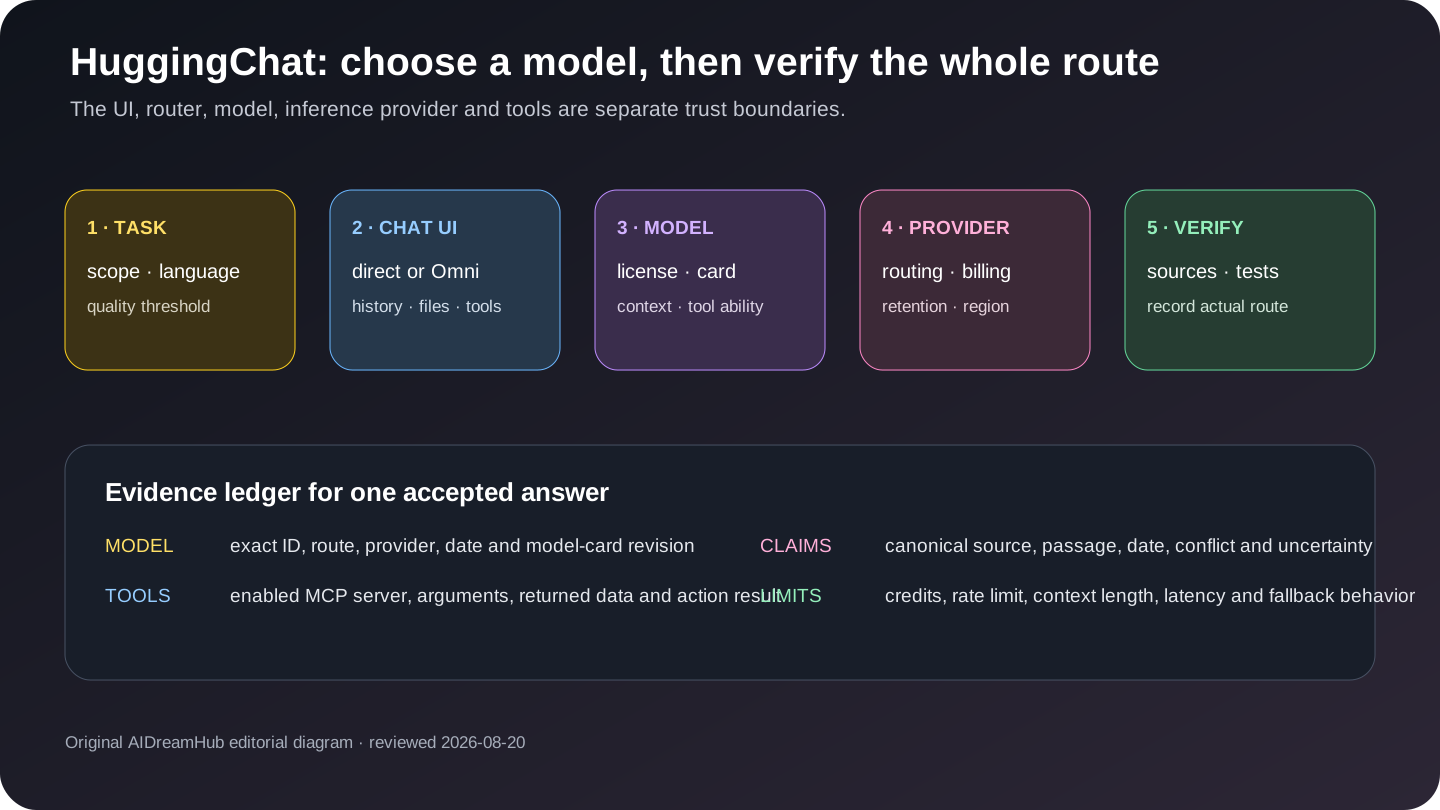
Independent HuggingChat 2026 review: current status, Omni and model choice, provider/privacy boundaries, tools, limits, verification and alternatives.
Google AI Studio is a free, web-based developer tool that enables you to quickly develop prompts and then get an API key to use in your app development.
AI Research Assistant developed by Google. Upload PDFs, websites, YouTube videos, audio files, Google Docs, or Google Slides, and NotebookLM will summarize them and make interesting connections between topics.