Claude AI by Anthropic
Claude is Anthropic's flagship AI assistant for people and teams who need more than a simple chatbot. It is built for research, writing, coding, data analysis, visual reasoning, workflow automation, and day-to-day productivity across web, mobile, desktop, and developer environments.
For SEO search intent, Claude is often compared with ChatGPT and Gemini, but its strongest positioning is as a careful reasoning assistant: it can work through long documents, analyze images, create and revise content, generate code, build interactive artifacts, and connect to work tools such as Gmail, Google Calendar, Google Drive, Slack, Linear, and other MCP-enabled services when available.
What Claude is best for
- Writing and editing: draft articles, rewrite landing pages, improve tone, summarize research, and turn rough notes into polished deliverables.
- Research and analysis: compare sources, extract insights from documents, reason through complex questions, and produce cited summaries when connected sources are used.
- Coding: use Claude in chat for explanations or use Claude Code in the terminal to understand a codebase, build features, fix bugs, improve tests, and prepare pull requests.
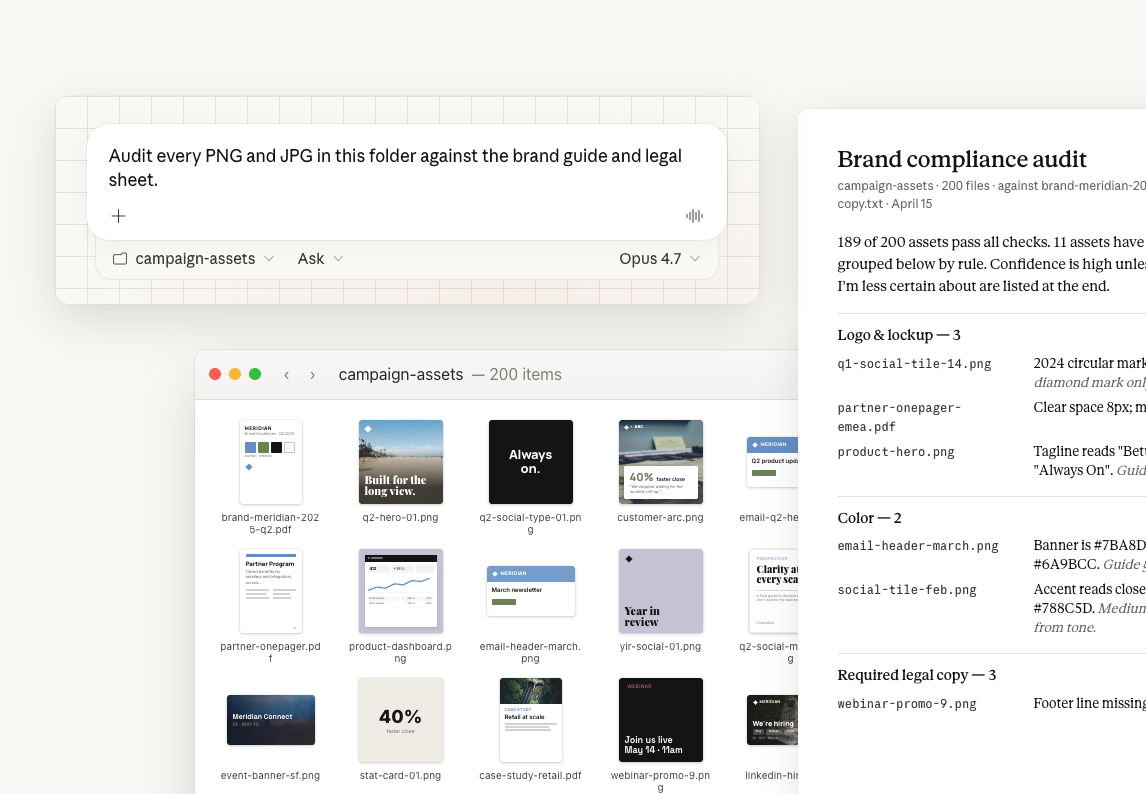
- Visual and file work: analyze images, create files, run code-assisted analysis, and build charts or lightweight apps through Artifacts.
- Team workflows: organize work in Projects, connect workspace knowledge, draft emails, schedule calendar events, and retrieve Drive documents with explicit user approval for connected actions.
Official use-case examples
- Analytics and operations: Claude's official use-case gallery shows examples such as pulling metrics from analytics dashboards and turning them into summaries.
- Education and nonprofits: examples include adapting textbook content to different reading levels, planning syllabi, and building grant-planning workflows.
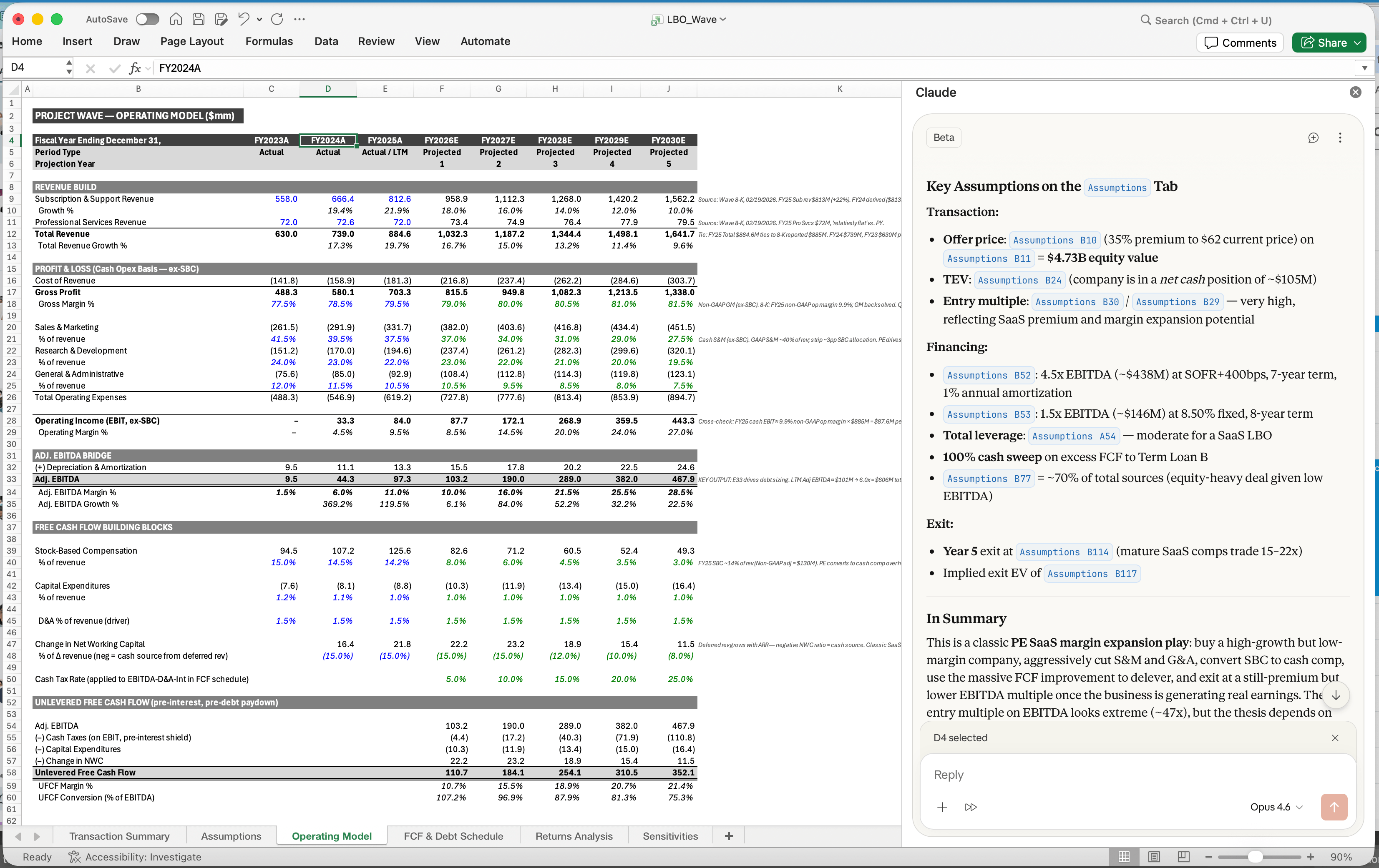
- Finance and sales: official examples show Claude helping draft credit memos, update financial models, and create sales proposal presentations.
- Productivity with connectors: Claude can work with Gmail, Calendar, and Drive so users can search messages, manage meetings, and reference documents without leaving the conversation.
Official media and examples
Strengths
- Long-context reasoning: useful for long files, research packs, specs, contracts, and codebases.
- Artifacts: ideal for generating dashboards, prototypes, learning tools, calculators, and shareable interactive content from chat.
- Claude Code: a dedicated agentic coding workflow that lives in the terminal and can navigate, edit, test, and explain real projects.
- Connectors and MCP: extends Claude into user-approved business systems while preserving source permissions.
- Multimodal input: supports text and image understanding across current Claude model families.
Limitations to know
- Availability, model access, usage limits, and connector support vary by plan, region, and workspace settings.
- Connected actions such as creating calendar events or drafts require user approval and appropriate account permissions.
- Like any AI assistant, Claude should be reviewed for high-stakes legal, medical, financial, or compliance work.
Who should use Claude?
Choose Claude if you want a polished AI assistant for serious writing, deep research, coding support, document work, and business productivity. It is especially compelling for teams that need an AI assistant connected to work context, and for developers who want Claude Code as part of their engineering workflow.
Official sources checked
- Claude official use cases
- Google Workspace connectors help article
- Claude Code overview
- Anthropic model news
Current Claude model context
Claude changes quickly, so model names in older reviews are not a reliable buying guide. Anthropic announced Claude Fable 5 in June 2026 as its most capable generally available model at launch. The company described Claude Mythos 5 as a more restricted model for selected high-risk or critical use cases, while Claude Opus 4.8 remains an important generally available fallback when Fable safeguards route certain requests away from the newer model. Model access can differ across claude.ai, Claude Code, the Anthropic API, Amazon Bedrock, Google Cloud Vertex AI, Microsoft Azure, plans, regions, and organizational policy.
Do not select a subscription or API architecture from one benchmark. Record the exact model ID used in every evaluation, because a friendly product label such as “Claude” can map to different models over time.
| Claude surface | Primary job | Best evaluation question | Common mistake |
|---|---|---|---|
| Claude web, desktop, and mobile | Interactive writing, research, files, Projects, Artifacts, and connected work | Does the chosen plan provide the model, limits, connectors, and collaboration the user needs? | Assuming chat usage limits or features are identical to API access |
| Claude Code | Agentic software work in terminals, IDEs, repositories, and automation | Can it make a correct tested change under your permission and review policy? | Granting broad permissions before testing repository and command boundaries |
| Anthropic API | Embed Claude models, tools, vision, structured responses, and agents in products | What is task success, latency, total token/tool cost, and failure behavior for the exact model ID? | Designing around an alias without a version and migration policy |
| Cloud platforms | Use Claude through enterprise cloud identity, governance, billing, and regional infrastructure | Which models, regions, quotas, features, and compliance controls are actually supported? | Assuming feature parity across Anthropic, Bedrock, Vertex AI, and Azure |
Claude Projects, connectors, Artifacts, and Code solve different jobs
Projects organize chats, instructions, and knowledge around a continuing body of work. Anthropic documents automatic retrieval-augmented generation when project knowledge approaches context limits, but users should still check which sources were retrieved and whether current documents supersede older ones. Connectors bring approved external context and actions into Claude; their value depends on identity, workspace configuration, source permissions, and action confirmation. Artifacts separate a generated document, visualization, code file, or interactive tool from the conversation so it can be revised and reused. Claude Code is a development agent with access to real project context and tools, so it requires stronger operational controls than a chat used only for advice.
Claude compared with adjacent assistants
| Option | Potential advantage | Evaluate carefully | Strong fit |
|---|---|---|---|
| Claude | Long-form reasoning, files, coding, Artifacts, Projects, Claude Code, and MCP ecosystem | Plan limits, model routing, connector availability, regional access, and exact model IDs | Knowledge work and engineering workflows that benefit from sustained context |
| ChatGPT | Broad consumer and business product ecosystem with multimodal creation and tools | Workspace data controls, model/tool availability, and product-specific limits | Teams wanting a broad general assistant and OpenAI ecosystem |
| Gemini | Deep alignment with Google products and Google Cloud models | Feature and model differences across Gemini apps, Workspace, AI Studio, and Vertex AI | Organizations centered on Google Workspace or Google Cloud |
| Microsoft Copilot | Microsoft 365 and enterprise identity integration | License combinations, grounding, tenant configuration, and product boundaries | Microsoft-centric workplaces with governed data access |
| Direct specialist tool | Narrow workflow, predictable UI, and domain-specific controls | Whether a general assistant adds unnecessary review or variability | High-volume tasks with stable inputs, outputs, and compliance rules |
Security and data review
- Separate product terms: claude.ai consumer use, business workspaces, API use, Claude Code, connectors, and cloud-platform access may have different controls and agreements.
- Minimize connected scope: connect only required accounts and sources; verify that Claude cannot reach broader mail, files, repositories, or tools than the user needs.
- Treat retrieved content as untrusted: documents, web pages, issues, emails, and tool output may contain malicious or irrelevant instructions.
- Confirm consequential actions: require human review before sending communications, changing production systems, merging code, spending money, or updating authoritative records.
- Review logging and retention: decide what prompts, files, traces, generated code, and connector results may be stored in each product surface.
- Control coding permissions: use repository boundaries, sandboxing, command allowlists, secret isolation, branch protections, CI, and code review around Claude Code.
A useful Claude evaluation
- Create a dataset of 20–50 real tasks, including ambiguous, incomplete, outdated, and adversarial inputs.
- Define acceptance criteria for factual support, instruction following, format, safety, and correction time.
- Test the exact surface and model: chat, project, connector, Claude Code, API, or cloud deployment.
- Record model ID, settings, input size, tool calls, latency, refusals, errors, output quality, and human edits.
- Compare at least one competing assistant and the current human workflow using identical tasks.
- Calculate cost per accepted result, including subscription, API, tools, review, retries, and integration maintenance.
| Metric | Definition | Why it is useful |
|---|---|---|
| Supported task success | Accepted outputs with traceable evidence divided by test tasks | Penalizes fluent answers that cannot be verified |
| Correction time | Human minutes from first output to approved deliverable | Measures real productivity rather than generation speed |
| Tool/action accuracy | Correct tool, arguments, permission, sequence, and result handling | Finds agent errors hidden behind good prose |
| Context reliability | Correct use of current project or connector sources without leakage | Tests the reason for connecting organizational knowledge |
| Cost per accepted result | Total model, tool, review, and retry cost divided by accepted work | Supports plan and model selection |
Frequently asked questions
What is the latest Claude model?
As of this review, Anthropic presents Claude Fable 5 as its most capable generally available model, with Mythos 5 under more restricted access and Opus 4.8 remaining relevant. Availability and routing differ by product, plan, region, and provider, so confirm the current model documentation.
Is Claude the same as Claude Code?
No. Claude is the broader assistant and model platform. Claude Code is an agentic development product that can inspect projects and use development tools. Its permissions and operational risk require a dedicated review.
Are Claude Projects a replacement for a document system?
Projects are useful context workspaces, not automatically the authoritative source of record. Maintain ownership, versioning, access control, retention, and deletion in the underlying document system.
Can Claude access Gmail, Drive, Slack, or other services?
Connector availability depends on product, plan, region, workspace settings, and authorization. Grant minimal scopes and review the source identity and proposed action before relying on connected results.
Should a team always use the most capable model?
No. Use the least expensive and fastest model that reliably passes the task evaluation. Route difficult cases to a stronger model and monitor whether routing improves accepted-result cost.
Can Claude outputs be used without review?
Low-risk drafts may need light review, but high-stakes claims, external communications, financial or legal decisions, medical information, code changes, and tool actions require evidence and accountable human approval.
Current official sources
- Anthropic: Claude Fable 5 and Claude Mythos 5
- Anthropic: Claude Opus 4.7
- Anthropic model documentation
- Claude Code documentation
- Claude Projects help article
- Anthropic: Claude's 2026 constitution
Last reviewed July 25, 2026. Claude model names, routing, plans, usage limits, connectors, regional availability, and cloud-platform support can change; verify the current official product and model documentation.