NanoBananaProMax is a third-party browser product for text-to-image generation and reference-image editing. Its galleries emphasize portraits, product scenes, thumbnails, restoration, stickers, figurines and social visuals. The site’s name overlaps with Google’s “Nano Banana” model family, but no evidence reviewed shows that NanoBananaProMax is owned or operated by Google.
This distinction is essential. Nano Banana Pro is Google’s name for Gemini 3 Pro Image, available through Google AI Studio, Gemini API and Vertex AI. Google also offers Gemini 3.1 Flash Image under the “Nano Banana 2” label. A third-party web interface may provide convenience, prompts and credits, but buyers must verify the exact underlying model, data path, output resolution and commercial terms.

Three names that should not be conflated
| Name | What it refers to | Where to verify |
|---|---|---|
| NanoBananaProMax | Third-party creator-facing website reviewed on this page | Its live product, checkout, privacy and terms pages |
| Nano Banana Pro | Google Gemini 3 Pro Image, model ID gemini-3-pro-image | Google DeepMind, Gemini API and Vertex AI documentation |
| Nano Banana 2 | Google Gemini 3.1 Flash Image, model ID gemini-3.1-flash-image | Current Gemini API model and pricing pages |
Do not infer that a prompt box labeled “Nano Banana” uses the latest Google model. Ask the service to identify its provider/model ID and log that information with each output. If exact provenance is unavailable, treat the product as an opaque hosted image service rather than an official model console.
What the example gallery demonstrates
| Workflow | Useful capability to test | Failure that marketing examples may hide |
|---|---|---|
| Portrait restyle | Identity, pose and facial-feature preservation | Face drift, changed age/ethnicity or invented accessories |
| Photo restoration | Scratch removal, color recovery and local reconstruction | Invented facial details presented as historical truth |
| Thumbnail | Composition, readable typography and subject emphasis | Misspelled text, weak safe zones and deceptive imagery |
| Product scene | Packaging, geometry, material and lighting consistency | Altered logo, label, quantity, dimensions or regulated claim |
| Figurine | Stylization while retaining distinctive traits | Implied real merchandise, trademark or likeness conflict |


A reference-editing prompt that preserves what matters
Divide the instruction into four blocks: elements to preserve, changes to make, composition/output constraints and prohibited changes. “Make it Y2K” leaves identity and product truth to chance. A stronger brief says: preserve face geometry, skin tone, eye color and pose; replace only wardrobe/background; use direct flash and silver-blue palette; keep hands visible; do not add logos, change age or reshape the face.
For products, include an explicit fidelity checklist: exact package shape, label spelling, SKU color, connector count, surface finish and logo location. If the model cannot preserve these after two attempts, composite the real product photograph into the generated scene instead of continuing to hallucinate a sellable item.
| Prompt block | Portrait example | Product example |
|---|---|---|
| Preserve | Identity, face proportions, skin tone, pose | Geometry, label, logo, color and included components |
| Change | Wardrobe, lighting, background and grading | Surface, environment, props and camera angle |
| Output | 4:5 crop, headroom, natural skin texture | 1:1 hero, clean negative space, realistic shadows |
| Prohibit | No age change, beauty reshaping or extra jewelry | No invented text, extra ports, claims or accessories |
Restoration is interpretation, not recovery

Keep an untouched archival scan. Use deterministic dust/scratch/color correction first, then apply generative reconstruction on a copy. Compare at 100% zoom, especially faces, uniforms, text, jewelry and landmarks. For museums, journalism, legal evidence or family history, disclose reconstructed regions and never overwrite the master.
Text and thumbnail quality
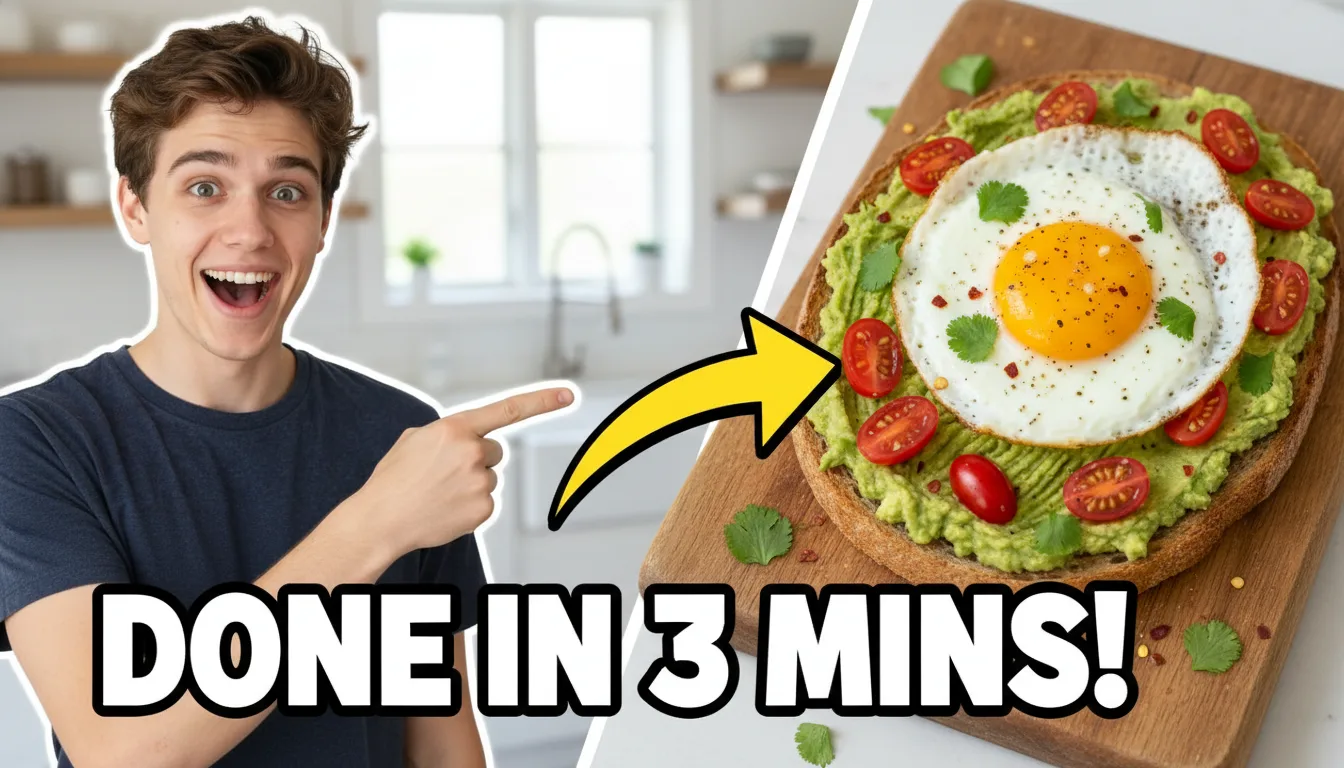
Google positions Gemini 3 Pro Image around improved text rendering and contextual/world knowledge, but spelling and factual accuracy still need inspection. Generate a clean composition with reserved text space, then typeset critical headlines and brand text in a design tool. This preserves exact wording, font license, hierarchy and accessibility.
Web-plan economics versus direct Google API
The last verified NanoBananaProMax pricing review displayed a Starter plan at $36.90 monthly or $24.90 per month on annual billing, with 400 credits valid for one month. The site was intermittently unavailable during the current review, so those values are historical evidence, not a guaranteed live offer. Verify the total annual charge, renewal price, credit expiration and credits consumed per operation at checkout.
Google’s current Gemini API pricing lists Gemini 3 Pro Image standard output at $0.134 for 1K/2K and $0.24 for 4K, plus input and possible grounding charges. Batch output is listed at $0.067 for 1K/2K and $0.12 for 4K. Direct API use adds engineering, storage, retry and review costs but provides exact model IDs and clearer metering.
| Route | Best fit | Cost unit | Main uncertainty |
|---|---|---|---|
| NanoBananaProMax web app | Individuals wanting a ready browser workflow and galleries | Site credits/subscription | Live model, credit consumption, uptime and data terms |
| Google AI Studio | Interactive official model testing | Free/paid tier behavior and API billing | Free-tier data use and production limits |
| Gemini API standard | Real-time applications and precise model selection | Inputs, outputs and grounding | Retries, quotas and application engineering |
| Gemini API batch | Non-urgent high-volume generation | Lower batch image/token rates | Turnaround and job orchestration |
| Vertex AI | Google Cloud governance and enterprise deployment | Cloud model/platform pricing | Region, IAM and operational complexity |
Calculate accepted-image cost
Do not divide subscription price by the maximum advertised images. Record credits for prompt generation, reference editing, upscale, variation and failed/rejected attempts. Cost per accepted image equals total subscription/API/retouch spend plus review labor divided by images that meet all visual and rights criteria.
Run a 20-task benchmark: five portraits, five products, five text-heavy designs and five restorations. Fix output size and acceptance rubric. Compare the web product with the official API and one manual workflow using identical references.
| Metric | Pass question | Measurement |
|---|---|---|
| Identity fidelity | Is the same consenting person recognizable without material drift? | Reviewer score plus landmark comparison |
| Product truth | Are geometry, label and included parts exact? | Attribute checklist against source photography |
| Text accuracy | Is every character correct and legible? | OCR plus manual proofread |
| Edit locality | Did only requested regions change? | Overlay/difference review |
| Acceptance rate | How many outputs need no regeneration? | Accepted ÷ generated candidates |
| Correction time | Does the workflow reduce total design labor? | Human minutes per accepted asset |
Privacy and model data paths
Reference images may contain biometric data, children, private homes, IDs, unreleased products or client materials. Before uploading, read the third-party site’s current privacy policy and confirm retention, deletion, subprocessors, training/improvement use, region and security contacts. A claim that Google’s paid API does not use content for product improvement does not automatically apply to an intermediary website.
Google’s pricing page distinguishes tiers: it currently says free-tier content may be used to improve products, while paid-tier content is not. Review the full applicable terms and Vertex AI controls for sensitive business workloads. Minimize uploads and use synthetic test material during evaluation.
SynthID and disclosure
Google says images generated or edited by Gemini are imperceptibly watermarked with SynthID. Watermarking supports provenance but does not clear copyrights, consent or advertising claims, and downstream resizing or third-party processing can affect detection. Keep explicit generation records and follow platform rules for synthetic-media disclosure.

Rights and safety checklist
- Obtain consent for recognizable private people and additional consent for sensitive or commercial transformations.
- Do not create deceptive endorsements, intimate imagery or age-altered sexual content.
- Use owned/licensed reference images; public availability is not permission.
- Review logos, trade dress, characters and living-artist imitation.
- Label restoration inventions and synthetic product concepts.
- Keep human approval for health, financial, political and regulated-product imagery.
- Archive prompt, references, output ID, model/route, date, edits, terms and approval.
Alternatives
| Option | Best fit | Tradeoff |
|---|---|---|
| NanoBananaProMax | Browser examples and creator-oriented credit workflow | Third-party provenance, terms and model transparency |
| Google AI Studio / Gemini API | Official Nano Banana model access and integration | Requires billing, API design and asset workflow |
| Adobe Firefly | Creative Cloud editing and enterprise/commercial positioning | Different model quality, plans and ecosystem |
| OpenAI image generation | Conversational generation/editing and API workflows | Different pricing, controls and provider terms |
| FLUX / Stable Diffusion local | Local control, custom models and reproducibility | Hardware, setup, model licensing and safety ownership |
| Photoshop + photographer | Exact product/identity truth and accountable retouching | Higher time and cost, strongest control for final assets |
Frequently asked questions
Is NanoBananaProMax an official Google website?
No evidence reviewed indicates that it is. Official Gemini image model access is through Google products and documented APIs.
What is Nano Banana Pro?
Google uses that name for Gemini 3 Pro Image, currently identified as gemini-3-pro-image.
How much does the official API cost?
Current standard output pricing is $0.134 for 1K/2K and $0.24 for 4K, with additional input/grounding charges. Verify live pricing.
Are generated images commercially safe?
Not automatically. Review references, likenesses, trademarks, output similarity, service/model terms and intended claims.
Can it restore historical photos accurately?
It can create plausible repairs, but missing details are generated rather than recovered. Preserve the original and disclose reconstruction.
What should be tested before subscribing?
Model identity, credit consumption, uptime, reference privacy, resolution, edit fidelity, export, cancellation and refund behavior.
Primary sources
- NanoBananaProMax website
- NanoBananaProMax pricing page
- Google DeepMind Gemini 3 Pro Image model page
- Official Gemini API pricing
- Official Gemini image-generation guide
- Vertex AI image-generation documentation
- Google SynthID overview
- Google policy context for manipulated media in advertising
Last reviewed July 25, 2026. The third-party site was intermittently unavailable during review; verify its live model, pricing and policies before uploading data or paying.