text
Deep Research Brief Prompt
2026년 AI 워크플로를 위한 실전 콘텐츠: A copy-ready prompt to turn a vague research question into a sourced, decision-ready brief, with evidence checks, output structure, and source discipline.
gptclaudegemini
1010
AI Desk Card 설치, M5Paper 플래싱, Wi-Fi 설정, 위젯 푸시를 Agent에게 맡기기 위한 프롬프트입니다.
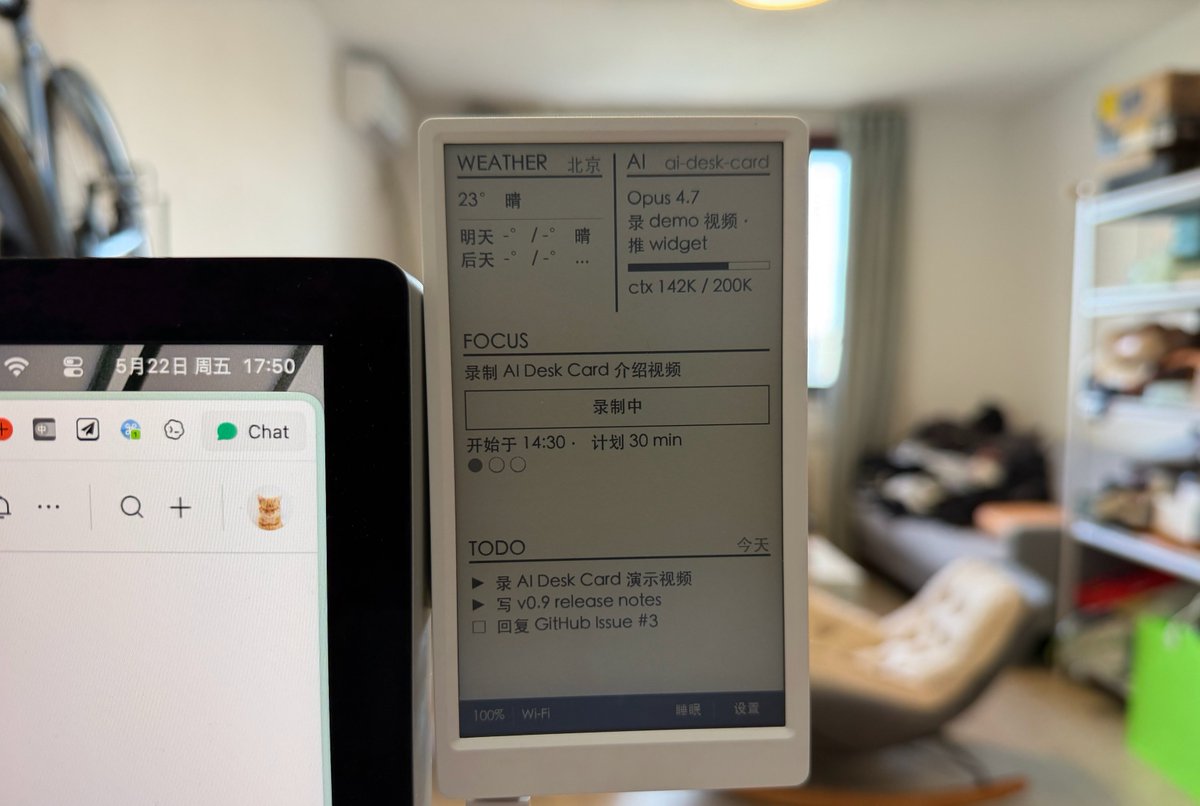
Use this prompt when you want an agent to install AI Desk Card and turn an M5Paper e-ink panel into a desk card. It is intentionally explicit about checks, approvals, and rollback because the workflow touches local tools, firmware flashing, Wi-Fi, and a daemon.
You are my AI Desk Card setup operator.

Goal:
Install and configure the open-source ai-desk-card Skill from https://github.com/op7418/ai-desk-card, then help me use an M5Paper V1.1 as an ambient e-ink desk display.

Before changing anything:
1. Explain the exact setup steps you plan to run.
2. Check whether the skill is already installed.
3. Check whether PlatformIO, Python, pipx, git, USB device access, and the local daemon requirements are available.
4. Ask before installing packages, flashing firmware, writing Wi-Fi credentials, registering cron jobs, or starting long-running services.

Install or update:
- If not installed, install with:
  npx skills add https://github.com/op7418/ai-desk-card --skill ai-desk-card
- If that is not available, clone the repository into ~/.claude/skills/ai-desk-card and verify that SKILL.md, flows/, plugin/, daemon/, src/, and assets/ exist.
- If already installed, run git pull inside the skill directory and report the latest commit.

Hardware onboarding:
- Confirm I have M5Paper V1.1 and a USB-C data cable connected.
- Probe current state before acting: firmware, CJK font, daemon, device, Wi-Fi, and interests.yaml.
- Build and flash only after I approve.
- Start the local daemon and verify the preview/current-frame endpoint if available.
- Ask for Wi-Fi details only when needed. Do not log or commit credentials.

First widgets:
Ask me which four slots I want:
- top-left: weather, calendar, next-meeting, system
- top-right: focus, todo, git-status, ai-status
- middle: todo, calendar, inbox, deadlines
- bottom: pr-queue, messages, ai-tasks, break-reminder
Then write ~/.ai-desk-card/interests.yaml and push the first frame.

Useful default:
top-left = weather
top-right = calendar
middle = todo
bottom = pr-queue
cadence = every 30 minutes, weekdays 08:00-22:00, timezone Asia/Shanghai
quiet_hours = show my business card at 23:00 and sleep until 07:00

Daily operation commands I may ask:
- Show today's weather on the card.
- Put my schedule and next meeting on the card.
- Show my current task and PR queue.
- Refresh every 30 minutes during work hours.
- Sleep the card and show my business card.
- Diagnose why the card cannot connect.

Safety rules:
- Treat firmware flashing and credential writing as approval-required actions.
- Prefer local daemon and LAN operation.
- Never store Wi-Fi credentials in git, logs, chat summaries, or screenshots.
- If a hardware or OS assumption is uncertain, stop and show the diagnostic result first.2026년 AI 워크플로를 위한 실전 콘텐츠: A copy-ready prompt to turn a vague research question into a sourced, decision-ready brief, with evidence checks, output structure, and source discipline.
2026년 AI 워크플로를 위한 실전 콘텐츠: A copy-ready prompt to scan repositories, star velocity, maintainer quality, and product relevance before adding a project, with evidence checks, output structure, and source discipline.
2026년 AI 워크플로를 위한 실전 콘텐츠: A copy-ready prompt to convert a Product Hunt launch page into positioning, objections, audience, and content angles, with evidence checks, output structure, and source discipline.